NOTE
The parking sensor obstruction detection indication does not display. Switch the screen
display to the top view/front view or side view display if the parking sensor warning sound
is activated.
The front wide view screen displays the image in front of the vehicle at a wide angle and
corrects the image to help detect approaching obstructions from the side. Therefore, it
differs from the actual view.
▼
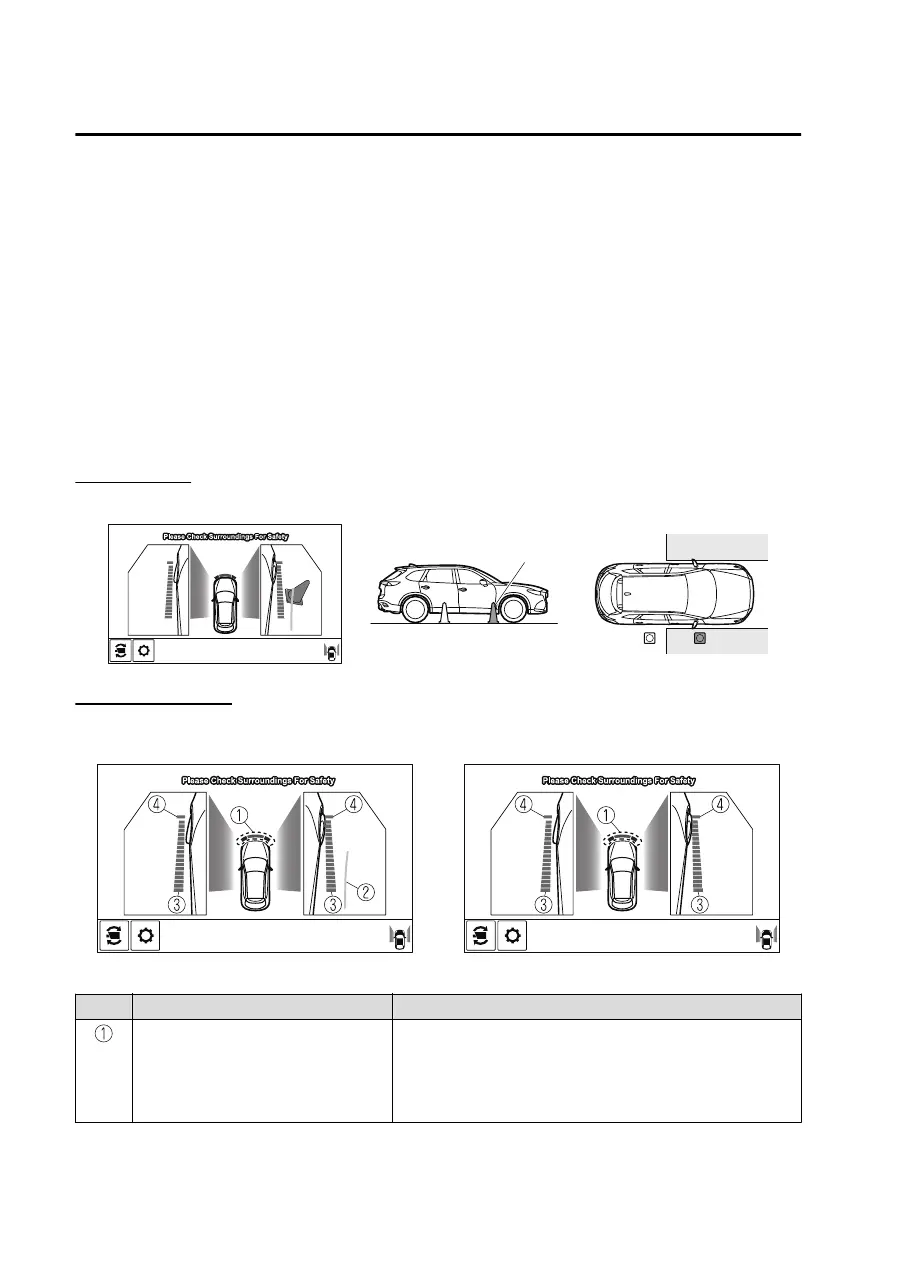
Side View
Use the side view to assist in checking the safety of the surrounding area when accelerating
from a stop, parking, or stopping the vehicle.
Display range
(Actual condition)(Screen display)
Target object
Viewing the screen
(When the projected vehicle
path line display is on)
(When the projected vehicle
path line display is off)
Display/Icon Content
Parking sensor view Displays the parking sensor detection condition when the
parking sensor is activated.
For details, refer to the parking sensor obstruction detection
indication and warning sound.
Refer to Parking Sensor System on page 4-272.
When Driving
i-ACTIVSENSE
4-196
CX-9_8JK1-EA-20G_Edition2_old 2020-7-20 17:31:45



 To Next Page