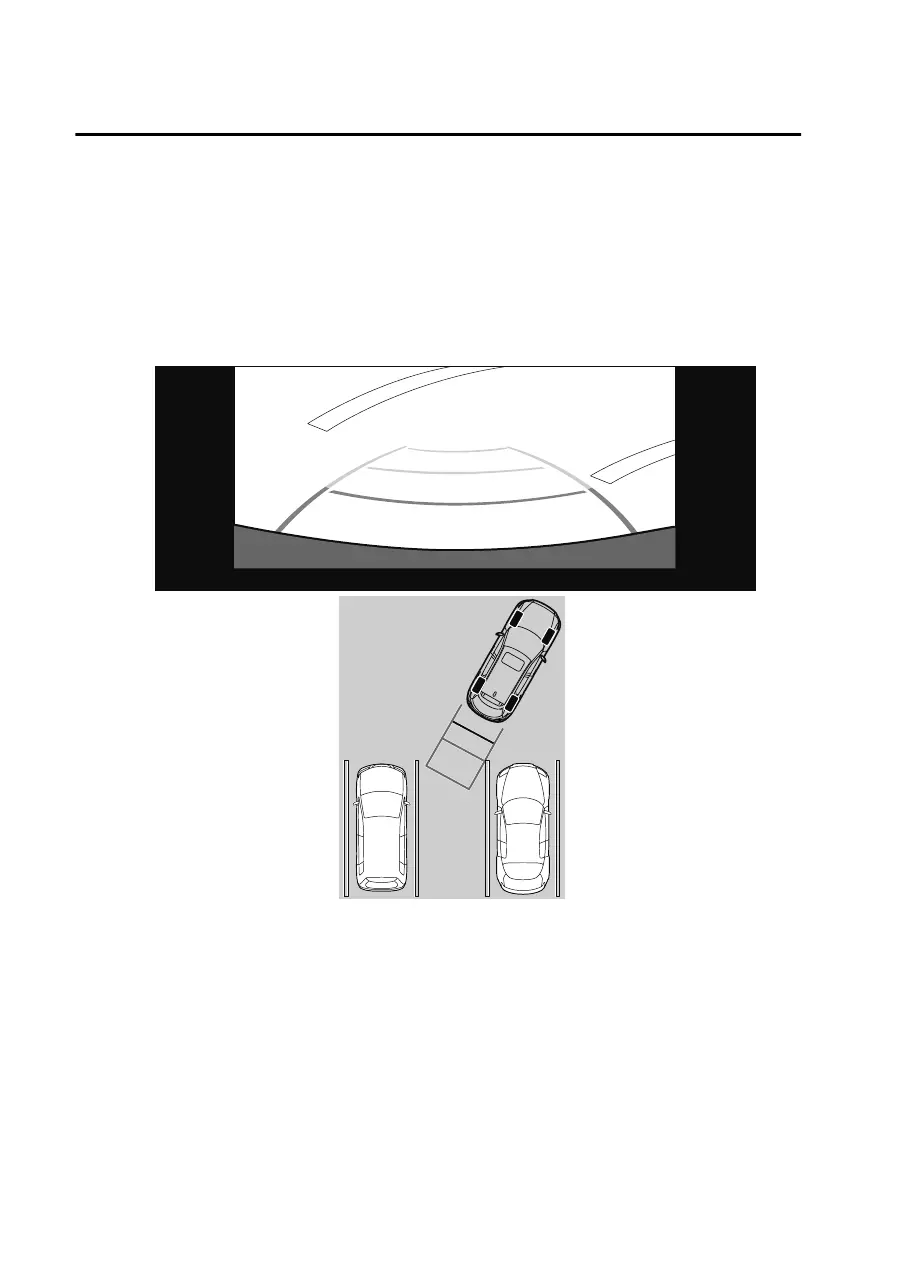
1. Shift the selector lever to reverse (R) position to switch the display to the rear view
monitor display.
2. Confirming the surrounding conditions, reverse the vehicle.
3. After your vehicle begins entering the parking space, continue backing up slowly so that
the distance between the vehicle width lines and the sides of the parking space on the
left and right are roughly equal.
(Display condition)
(Vehicle condition)
4. Continue to adjust the steering wheel until the vehicle width guide lines are parallel to
the left and right sides of the parking space.
5. Once they are parallel, straighten the wheels and back your vehicle slowly into the
parking space. Continue checking the vehicle's surroundings and then stop the vehicle in
When Driving
Rear View Monitor (Mazda Connect (Type B))
4-268
CX-9_8JK1-EA-20G_Edition2_old 2020-7-20 17:31:45



 To Next Page