Black plate (288,1)
When lis tening to the radio or SIRIUS
digital satellite radio
Pull up or press down the seek switch, the
radio switches to the next/previous stored
station in the order that it was stored
(1―6).
Pull up or press down the seek switch for
about 2 seconds until a beep sound is
heard to seek all usable stations at a
higher or lower frequency whether
programmed or not.
When playi ng a CD or BT audio
Pull up the seek switch to skip to the next
track.
Press down the seek switch to repeat the
current track.
Pull up or press down and hold the seek
switch to continuously switch the tracks
up or down.
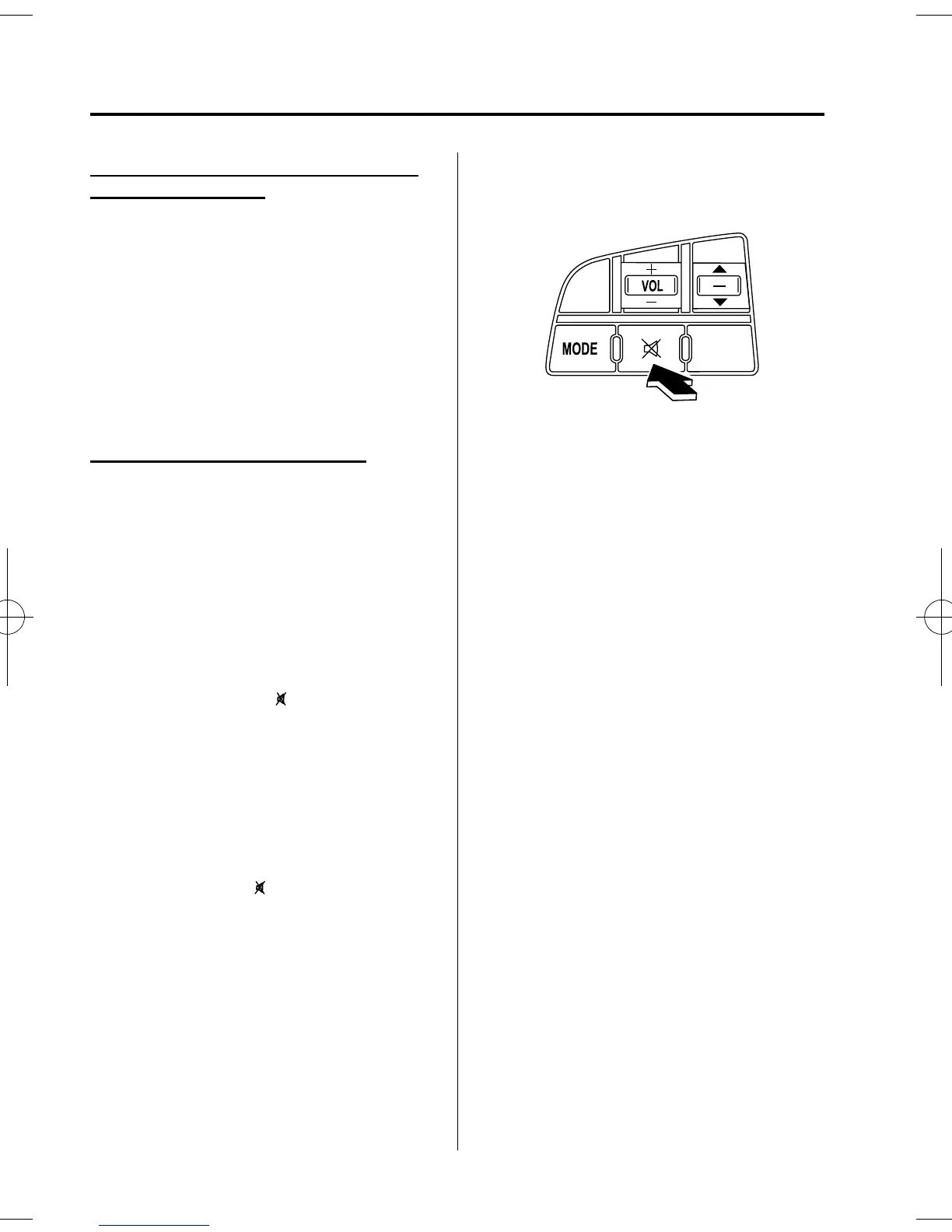
qMute Switch
í
Press the mute switch ( ) once to mute
audio, press it again to resume audio
output.
NOTE
If the ignition is turned off (LOCK) with the
audio muted, the mute will be canceled.
Therefore, when the engine is restarted, the
audio is not muted. To mute the audio again,
press the mute switch (
).
Without Bluetooth Hands-Free
6-58
Interior Comfort
í
Some models.
Audio System
Mazda3_8AR2-EC-09E_Edition1 Page288
Thursday, April 9 2009 4:10 PM
Form No.8AR2-EC-09E












 To Next Page