Black plate (298,1)
Deleting the link to a Bluetooth audio
device
1. Using the audio control dial, select the
pairing delete mode “PAIR DELETE”
in the “BT SETUP” mode. (Refer to
“Bluetooth audio device set-up” for
details.)
2. Press the audio control dial to
determine the mode.
3. The name of the first device among the
programmed devices is displayed.
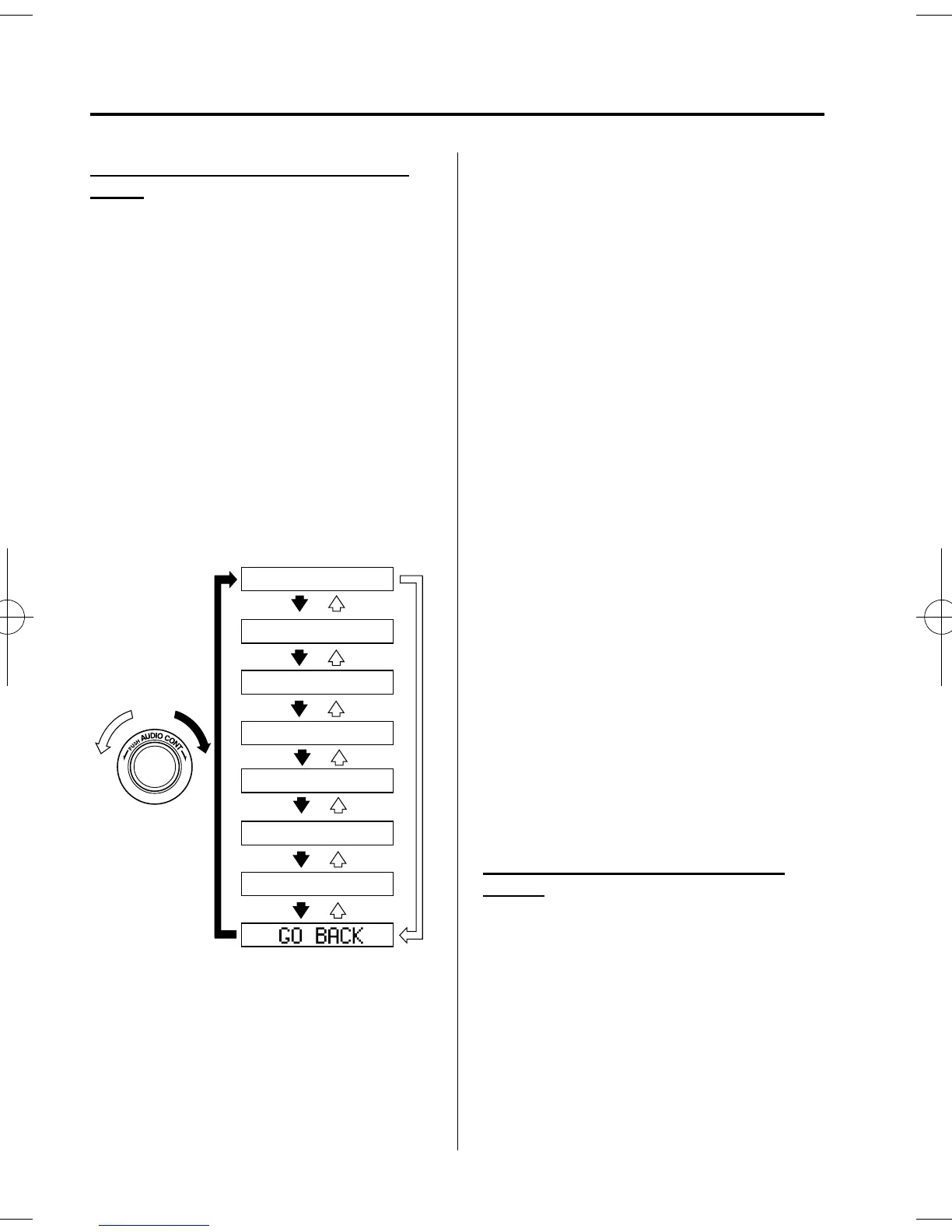
4. Rotate the audio control dial and select
the name of the programmed device
you would like to delete.
Device name 1
Device name 2
Device name 3
Device name 4
Device name 5
Device name 6
Device name 7
NOTE
Only the names of programmed devices can be
displayed. If only one device is programmed,
only the name for this device is displayed.
5. If a selection other than “GO BACK”
is made and the audio control dial is
pressed, “SURE ? NO” is displayed.
6. Rotate the audio control dial clockwise
and switch the display to “SURE ?
YES”.
NOTE
The display changes as follows depending on
whether the audio control dial is rotated
clockwise or counterclockwise.
-Clockwise: “SURE ? YES” displayed
-Counterclockwise: “SURE ? NO” displayed
7. Press the audio control dial to delete
the selected device.
NOTE
Select “GO BACK” and press the audio
control dial to return to the “PAIR DELETE”
display.
8. “ PAIR DELETED” is displayed for
three seconds after the deletion is
completed, and then it returns to the
normal display.
NOTE
If an error occurs while trying to delete the
programmed device, “Err” flashes in the
display for three seconds and the display
returns to “LINK DELETE”.
Bluetooth audio device information
display
1. Using the audio control dial, select the
pair device information display mode
“DEVICE INFO” in the “BT SETUP”
mode. (Refer to
“Bluetooth audio device set-up” for
details.)
2. Press the audio control dial to
determine the mode.
6-68
Interior Comfort
Bluetooth Audio
Mazda3_8AR2-EC-09E_Edition1 Page298
Thursday, April 9 2009 4:10 PM
Form No.8AR2-EC-09E











 To Next Page