Black plate (336,1)
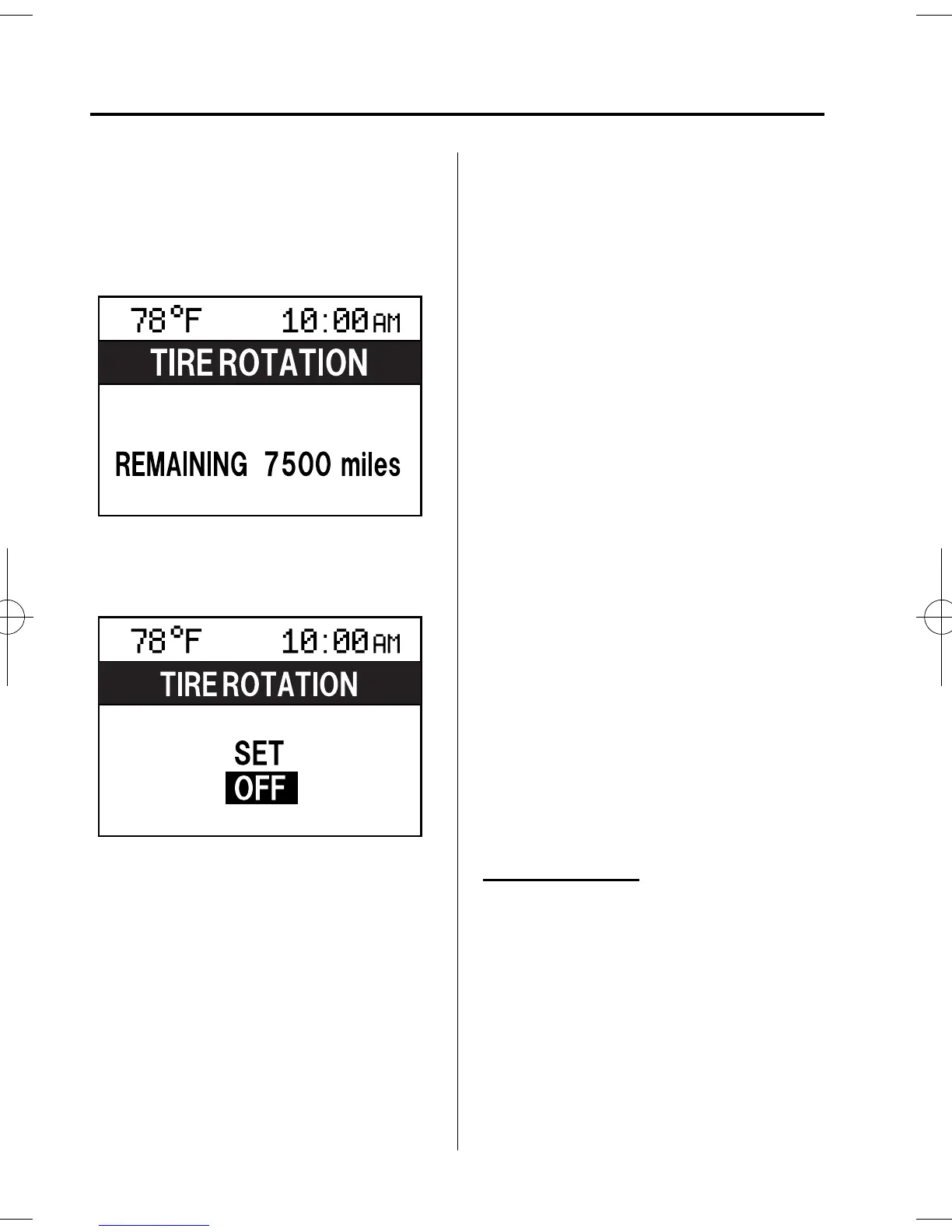
3. Select the item you want to turn off
(TIRE ROTATION or SERVICE DUE)
by pressing the Enter (up/down) switch
up or down, and then press the Enter
(up/down) switch.
4. Select OFF and press the Enter (up/
down) switch.
qWarning Indicator
The foll owing warning indicators are
displayed according to necessity. Warning
indicators are displayed regardless of the
multi-information display operation.
l
DOOR OPEN (including trunk and the
liftgate)
l
TIGHTEN FUEL CAP (Displayed
when the check fuel cap warning light
illuminates in the instrument cluster.)
l
CHECK TIRE PRESSU RE
l
RELEASE PARKING BRAKE
l
Advanced Keyless Entry System
related
l
KEY BATTERY IS LOW
l
ADVANCED KEY NOT FOUND
l
MOVE SHIFT LEVER TO P
l
STEERING WHEEL LOCK NOT
RELEASED TURN WHEEL LEFT
AND RIGHT
l
DEPRESS BRAKE PEDAL TO
START ENGINE
l
DEPRESS CLUTCH PEDAL TO
START ENGINE
l
USE AUXILIARY KEY
NOTE
When more than two warnings occur at the
same time, indicators are switched at each
specified time.
qSettings
The foll owing settings can be changed:
l
Buzzer volume (Ignition key reminder,
lights-on reminder)
l
Turn indicator sound
l
Distance unit
l
Temperature unit
l
Display language
The data for the trip computer average
fuel economy and the average vehicle
speed can also be changed.
To change settings
1. Press the INFO switch unti l the
SETTINGS screen is displayed.
2. Select PREFERENCES by pressing the
Enter (up/down) switch up or down,
and then press the Enter (up/down)
switch.
3. Select the setting item you want to
change by pressing the Enter (up/
down) switch up or down, and then
press the Enter (up/down) switch.
6-106
Interior Comfort
Interior Equipment
Mazda3_8AR2-EC-09E_Edition1 Page336
Thursday, April 9 2009 4:10 PM
Form No.8AR2-EC-09E











 To Next Page