Black plate (244,1)
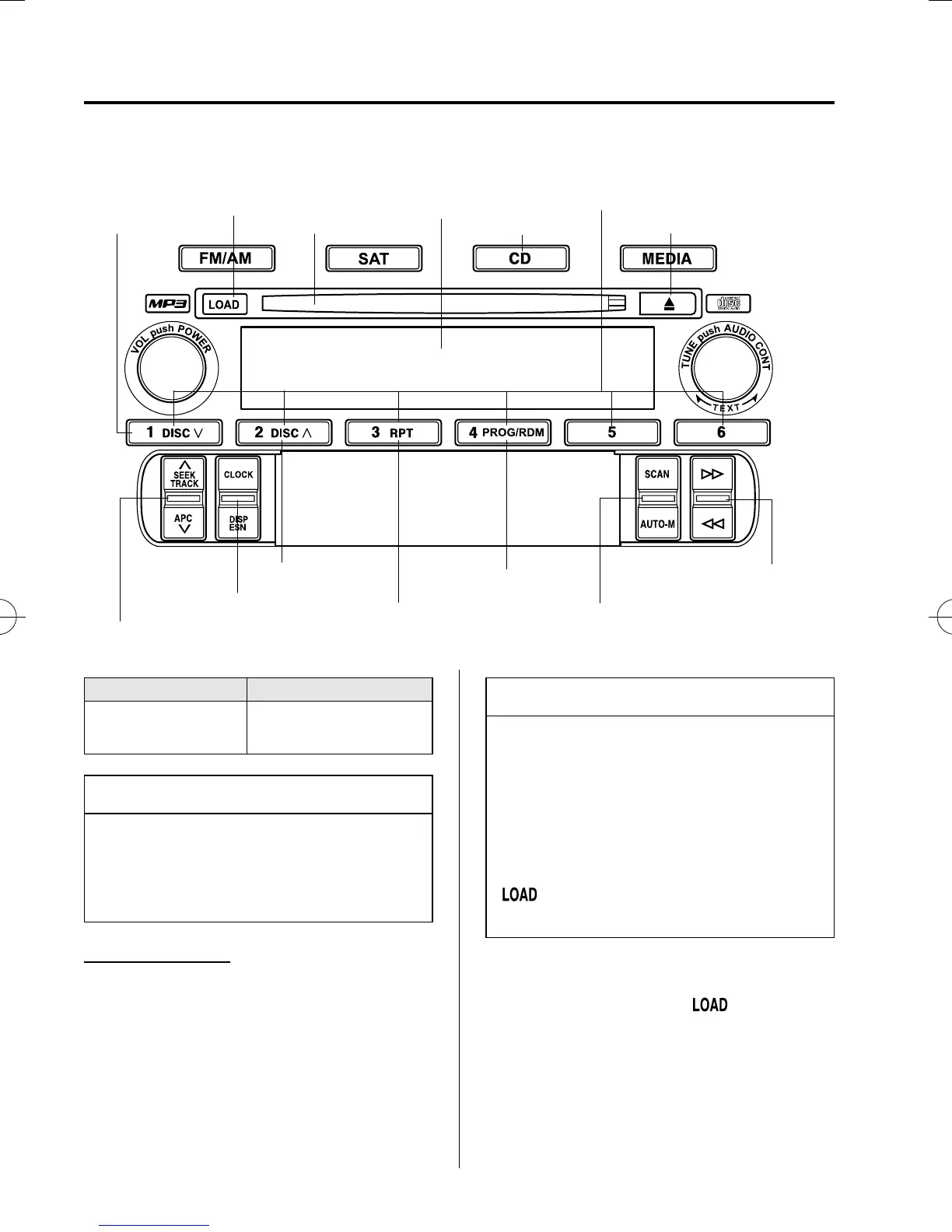
qOperating the In-Dash CD Changer
í
Disc down button
Load button
CD slot
Display
CD play button
Channel preset buttons
CD eject button
Track up/down switch
Clock/Display switch
Disc up button
Repeat button
Random button
Scan/Auto memory switch
Fast-forward/Reverse switch
Type Playable data
Music CD/MP3 CD
player
· Music data (CD-DA)
· MP3 file
NOTE
If a disc has both music data (CD-DA)
and MP3 files, playback of the two file
types differs depending on how the disc
was recorded.
Inserting the CD
The CD must be label-side up when
inserting. The auto-loading mechanism
will set the CD and begin play. There will
be a short lapse before play begins while
the player reads the digital signals on the
CD.
The disc number and the track number
will be displayed.
NOTE
The CD will begin playback
automatically after insertion.
A CD cannot be inserted while the
display reads “WAIT”. A beeping
sound can be heard during this waiting
time. Simultaneously pressing the
power/volume dial and the load button
(
) for about 2 seconds will turn
this beepin g sound ON or OFF.
Normal insertion
1. Press the load button (
).
2. When “IN” is displayed, insert the CD.
6-34
Interior Comfort
í
Some models.
Audio System
MX-5_8V80-EA-06F_Edition3 Page244
Tuesday, August 29 2006 10:24 AM
Form No.8V80-EA-06F











 To Next Page