Driving Your Mazda
f---]-
/"
**
l
i t-
/*orto."frl
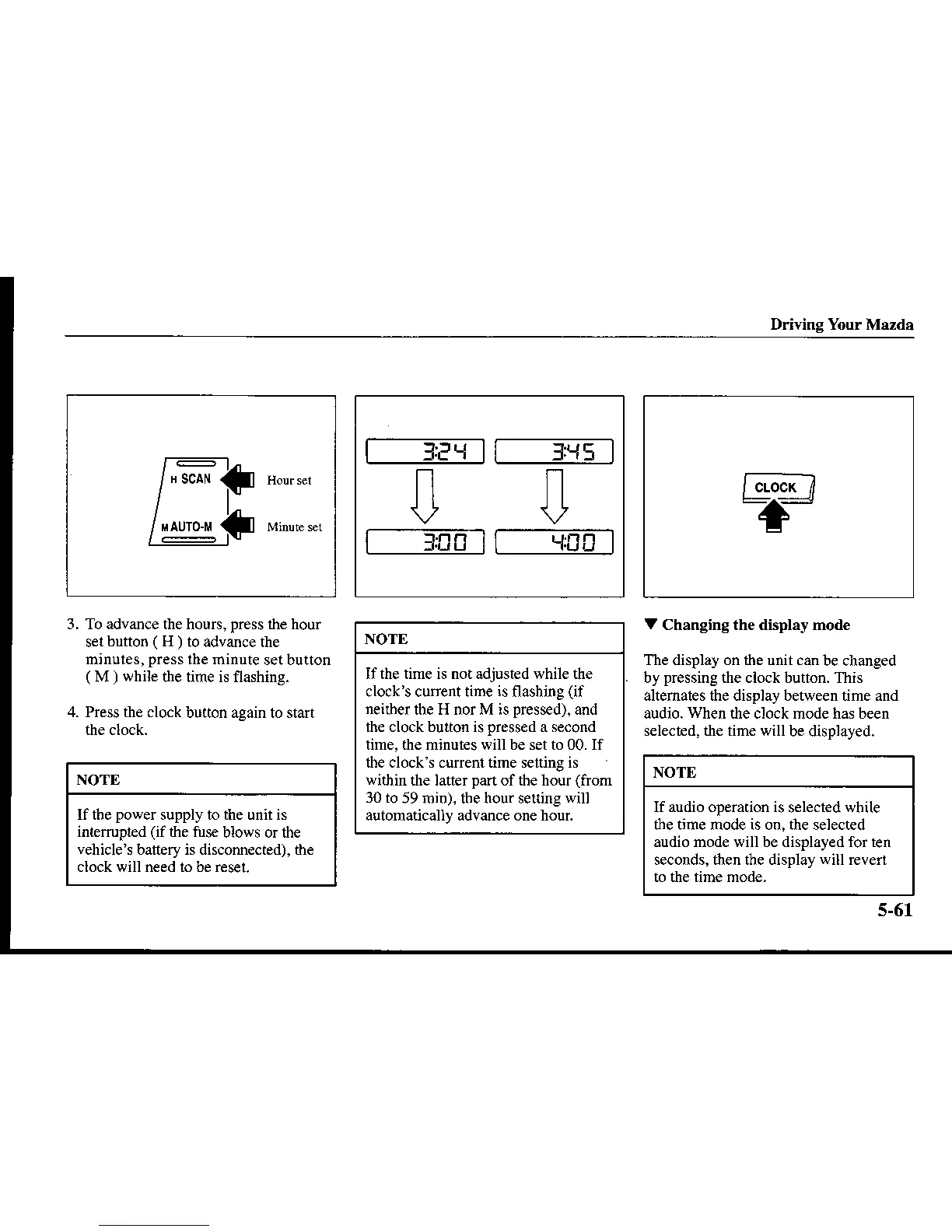
3. To advance the hours,
press
ihe hour
sel
button
(
H
)
to advance the
mjnules,
press
the minute
setbutton
(
M
)
while
the time is flashing.
4. Press the clock
button again to start
NOTE
lf the
power
supply to the unit is
intrerrupred
(if
the fuse
blows or fte
vehicle's
battery is disconn€cted), the
clock will need 1() be reset.
l_--'---------a-::---
|
'{.J
H I I
'{H(a
I
ln
Itl
\,, \,2
f-J.-=frn- T---.El!-frI
NOTE
If the time is not adjusted while the
clock's current time
is
flashing
(if
neilber
the H nor M is
pressed).
and
th€ clockbutton ispressed a second
time, the minut€s will be set to 00. If
fte clock s current time selting is
within
the lauer
pan
of dle hour
(from
30 to
59 min). tbe hour se$ing
will
automatically advance one hour.
V
Changing the display mode
The disptay on the unit can
be changed
by
pressing
the clock bution. This
altemates the dhplay between tirne and
audio.
When
the clock mode has been
s€lechd, the time will
be displayed.
fc.o"*-i
-+-
NOTE
Ifaudio operarion is
selected
while
tle time mode is on, the selected
audio mode will be displayed for ten
seconds, then the display
will
revert
5-61









 To Next Page