1
Accessory socket
(See Accessory Socket Removal Note .)
2
Cap
(See Cap Removal Note .)
4. Install in the reverse order of removal.
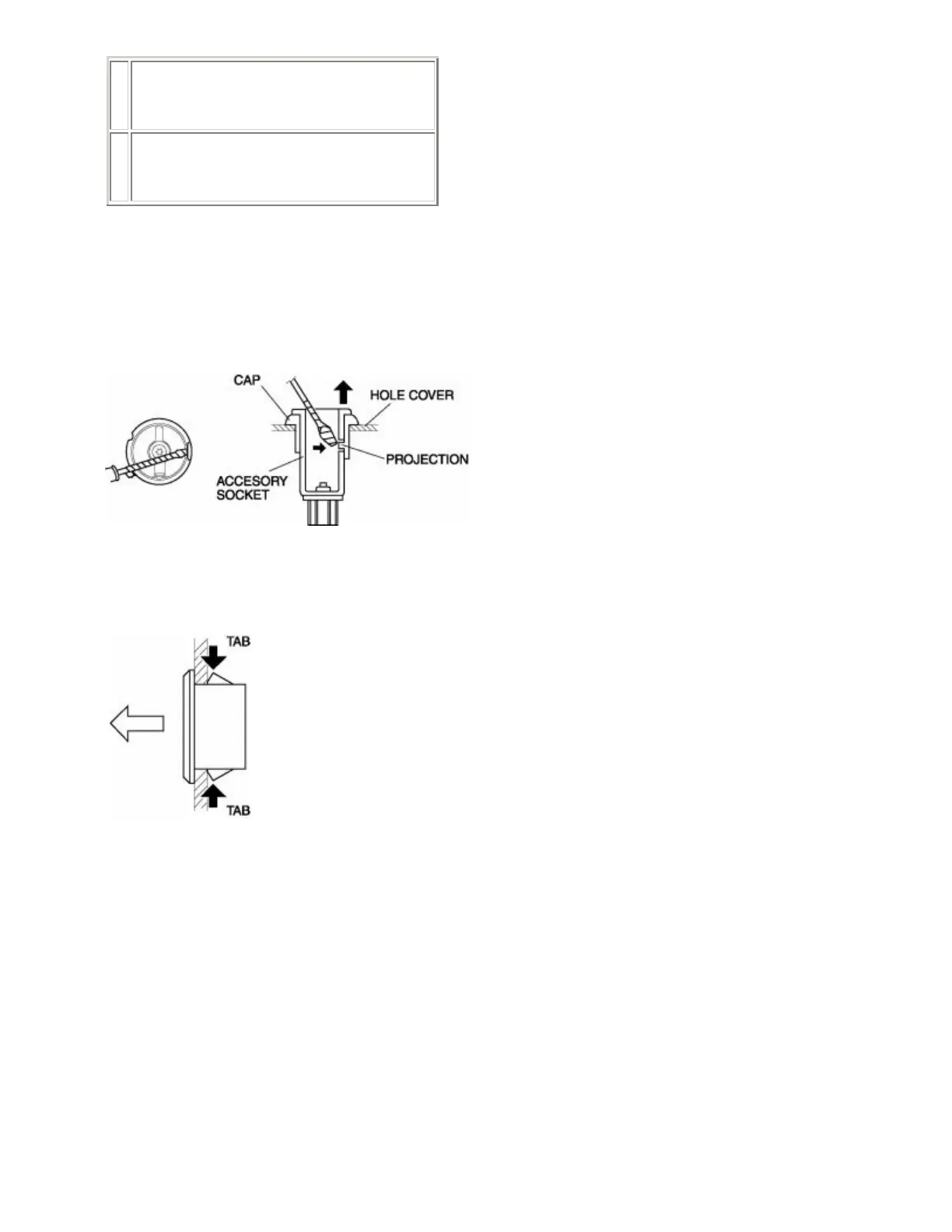
Accessory Socket Removal Note
1. While pressing a tape-wrapped flathead screwdriver against the cap projection, pull the accessory socket
outward.
Cap Removal Note
1. While pressing the tabs, pull the cap outwards.
ACCESSORY SOCKET INSPECTION
1. Connect a tester as shown in the figure and verify that there is continuity.



 To Next Page