ENGLISH
ENGLISHENGLISH
ENGLISH
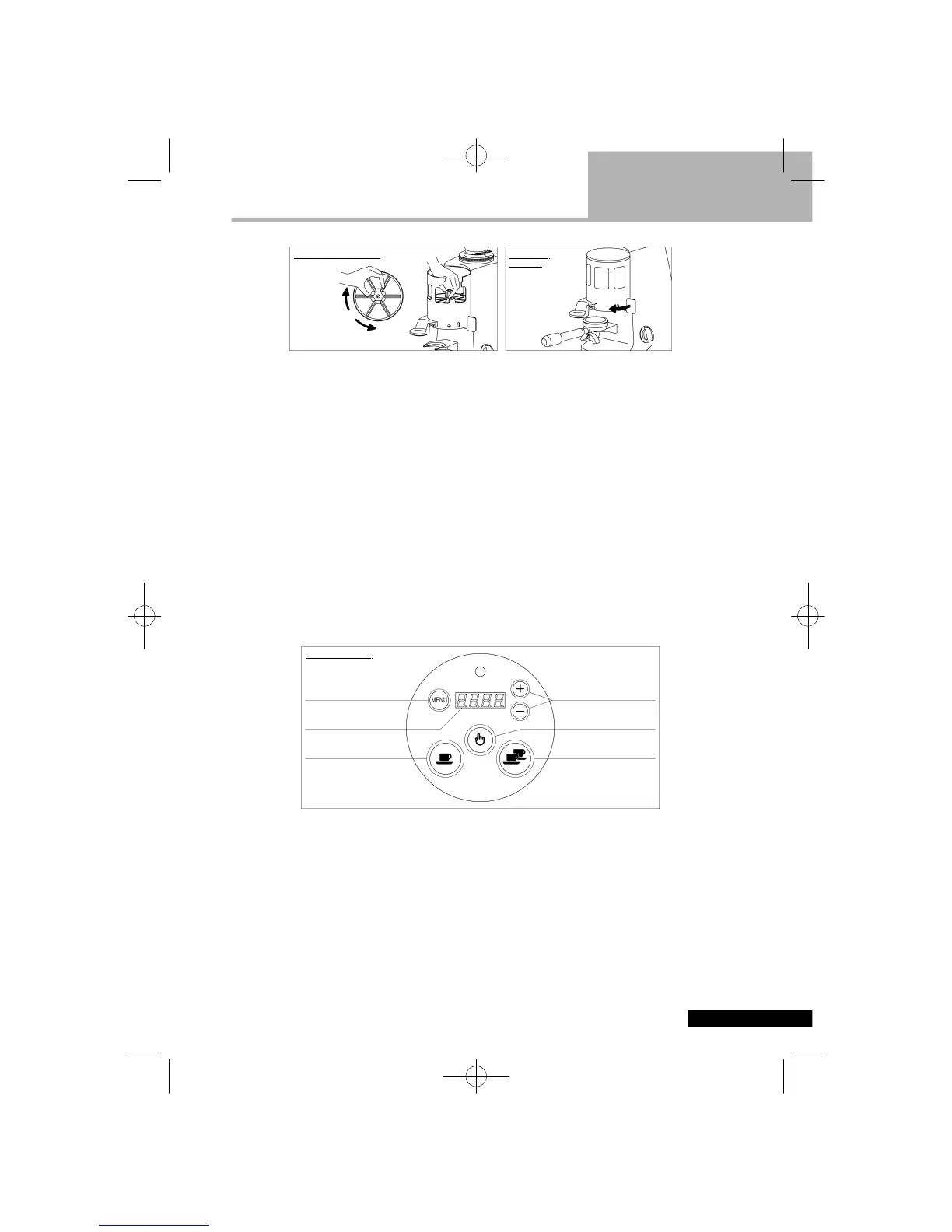
To centre the coffee drop into the filter holder, it is possible to carry out a sideways adjustment
of the support fork located under the dispenser, by slightly loosening the fixing screws and then
tightening them again after having moved the fork into the new position.
Electronic Grinder-Dosers
Electronic Grinder-DosersElectronic Grinder-Dosers
Electronic Grinder-Dosers
In order to adjust the size of the portion dispensed, use the push button controls located on the
lid of the funnel. After having set the optimal degree of fineness, check the weight of the dose
with a digital precision scale.
In order to adjust the dose press the push button “MENU” for 3 seconds; the display will blink.
Select the dose you wish to adjust : either the single dose (indicating one cup) or the double
dose (indicating two cups). The display will show the grinding time (in seconds) of the selected
dose. By pressing the push buttons “+” and “-“ the grinding time can be increased or decreased
and consequently the selected dose can be increased or decreased.
Approximately, a change of 0.10 seconds is equivalent to a change of dose of 0.15 grams
(0.005 ounces).
To set the desired amount of grinding time press the push button “MENU” for 3 seconds. A
blinking of the display will confirm the data have been saved and the exit from the adjusting
program.
Use a digital precision scale to check again the weight of the dose and, if necessary, repeat
above mentioned operation.
WHEN YOU ARE INSIDE THE ADJUSTING PROGRAM IT IS NOT POSSIBLE TO
OPERATE THE APPLIANCE.
IF THE APPLIANCE GETS SWITCHED OFF (SWITCH IN THE POSITION O) BEFORE
EXITING FROM THE ADJUSTING PROGRAM THE CHANGES ARE NOT SAVED.
In order to collect the portions of ground coffee, insert the filter holder all the way onto the fork-
shaped support under the ground coffee outlet.


 To Next Page
 Loading...