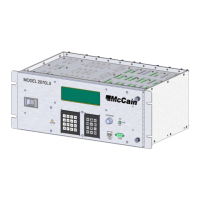
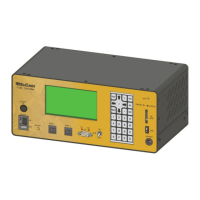
2.4 Hardware Interfaces
Figure 2: Hardware Interfaces on the Front Panel
2.4.1 Controller Front Panel
All ATC eX NEMA controller interfaces to the external world (cabinet, external devices, user) are
accessible from the front panel.
2.4.1.1 LCD with Backlight
The controller unit has a 16 lines X 40 Columns LCD display with LED backlight. This is the visual
interface of the user with the controller unit; through the different menus of the traffic application, it
displays current status, entered values and functions of the traffic application and other useful information
for the operation of the controller unit.
Character height is 0.2 inches.
The LCD backlight is turned on when any key from keypad is depressed and it will be extinguished after
60 seconds, this time can be programmed to be from 0 to 630 seconds.
The LCD operating range is fro –20°C to +70°C.
McCain ATC eX NEMA Controller – User Manual 5
Version 1.0


 To Next Page
 Loading...