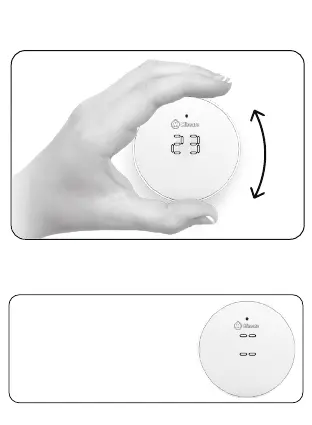
Device operation
A properly installed and connected
Vicki displays the target temperature
when rotated. If two dashes appear
on the top and bottom before the
temperature, the device did not join
the network successfully. Examine
your Gateway and/or LNS for issues.
Manual target temperature control
You can set desired temperature directly from
Vicki by rotating the device until you see the
target temperature on the display.
13


 To Next Page