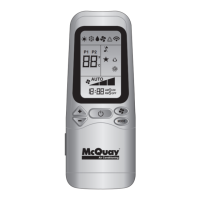
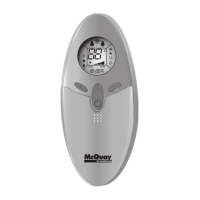
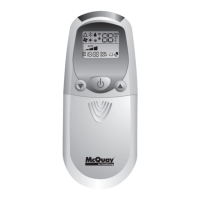
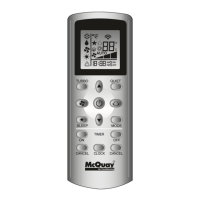
The McQuay OM-G7-0501-McQuay is an operating manual for a remote controller designed for air conditioning units. The manual, with part number A08019025480, was released in May 2001. It provides comprehensive instructions for using the remote controller, covering various functions, settings, and operational modes. The remote controller itself features a clear LCD display and an array of buttons for intuitive control of the air conditioning unit.
Function Description:
The remote controller serves as the primary interface for users to manage their McQuay air conditioning units. It allows for the adjustment of fundamental settings such as temperature and operation mode, as well as more advanced features like timer settings and sleep mode. The device is designed to transmit signals to the air conditioning unit, with a visual indication (blinking) confirming successful signal transmission.
Important Technical Specifications:
- Temperature Setting Range: The remote controller allows for temperature adjustments between 16°C and 30°C. An optional setting range of 18°C to 30°C is also mentioned. Users can toggle between Celsius (°C) and Fahrenheit (°F) display by simultaneously pressing the temperature adjustment buttons.
- Operation Modes: The available operation modes depend on the type of air conditioning unit.
- For cooling-only units, the modes include COOL (*), DRY (?), and FAN (?).
- For heat pump units, the modes include AUTO (A), COOL (*), DRY (?), FAN (?), and HEAT (☀).
- Fan Speed Selection: Users can cycle through different fan speeds: Low, Med, High, and Auto.
- Timer Functions: The remote controller supports both ON timer and OFF timer settings, allowing users to schedule when the air conditioner turns on or off.
- Clock Time Setting: A built-in clock function enables users to set and adjust the current time.
Usage Features:
- ON/OFF Button: A single press turns the air conditioner on, and another press turns it off.
- Temperature Adjustment: Dedicated ▲ and ▼ buttons allow for precise control over the desired room temperature.
- Mode Selection (MODE Button): This button cycles through the available operation modes, making it easy to switch between cooling, heating, drying, and fan-only operations.
- Fan Speed Button: Repeated presses of the fan speed button cycle through the different fan speed options until the desired speed is displayed.
- Turbo Function (Optional): For Inverter units, a Turbo function (activated by a dedicated button) provides rapid cooling or heating. When activated, the unit's internal temperature adjusts (increases in HEAT mode, decreases in COOL or DRY mode), and the fan speed increases if not already at maximum. This function reverts to user settings after 20 minutes or if the Turbo button is pressed again.
- ON Timer Setting: Users can activate the ON timer function using the SET button and then continuously press SET to adjust the desired turn-on time. The CLR button cancels the ON timer setting.
- OFF Timer Setting: Similar to the ON timer, the OFF timer function is activated with the SET button, and the desired turn-off time is set by continuous presses. The CLR button cancels this setting.
- Automatic Air Swing (Optional): The SWING button activates the automatic air swing function. To direct airflow to a specific direction, users press SWING, wait for the louver to reach the desired position, and then press the button again.
- Sleep Mode Setting (SLEEP Button): This energy-saving feature adjusts the set temperature gradually during the night.
- In cooling mode, the set temperature increases by 0.5°C after the first half-hour, 1°C after the second half-hour, and a total of 2°C after the following hour, preventing excessive cooling.
- In heating mode, the set temperature decreases by 1°C after the first half-hour, 2°C after the second half-hour, and a total of 3°C after the following hour, preventing night sweats. This function is available in COOL, HEAT, and AUTO modes.
- Clock Time Setting: ▲ and ▼ buttons are used to increase or decrease the clock time.
Maintenance Features:
The manual primarily focuses on operational aspects of the remote controller and does not detail specific maintenance features for the remote itself, beyond indicating how to insert batteries. However, it implicitly supports the maintenance of the air conditioning unit by providing precise control over its functions, which can contribute to efficient operation and longevity.
Installation:
The manual includes instructions on how to mount the remote controller onto a wall using a provided bracket and screws. It also details how to insert batteries into the remote controller, illustrating the process with clear diagrams.
The manual is provided in multiple languages, including English, French, German, Italian, Spanish, Arabic, and Russian, ensuring accessibility for a diverse user base. It also includes a disclaimer stating that in case of any conflict in interpretation between translations, the English version shall prevail. McQuay International reserves the right to revise specifications and designs without prior notification.

 Need help?
 General

 To Next Page