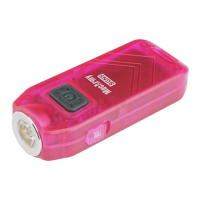
While ON: Lightly tighten head for Low mode, Fully tighten head for High mode
Charging
Unscrew (anticlockwise) the head of the light and full forward to reveal the charging port.
Connect a mini USB charging cable as shown in the diagram below
Charging Indicator
When charging, the indicator light turns red, when charging is complete, the indicator light
turns green
No indicator light indicates that there is no load
Charging time
1 hour (charging current 100mA/4.2V)
Battery replacement
Unscrew and remove the tail of the flashlight and insert the battery with positive side toward
the light’s head, screw the tail back on to operate the light.
WARNING:
• Do not point the light at human or animal eyes
• Do not look directly into the light when it is switched on
• Do not permit children to use the flashlight unsupervised
Maintenance
• Remove battery when stored for extended periods
• Replace and lubricate O-Rings as needed to maintain IPX-8 rating
• Every 6 months, threads should be wiped with a clean cloth followed by a thin coating of
silicon-based lubricant


 To Next Page
 Loading...