EasyManua.ls Logo

MECHEN D26 - Bluetooth Connectivity; Pairing and Usage Notes

MECHEN D26
7 pages
Print Icon
To Next Page IconTo Next Page
To Previous Page IconTo Previous Page
Loading...
After
successful
search,
choose
the
Bluetooth
device
to
pair
with
your
Bluetooth
speaker
or
Bluetooth
headset.
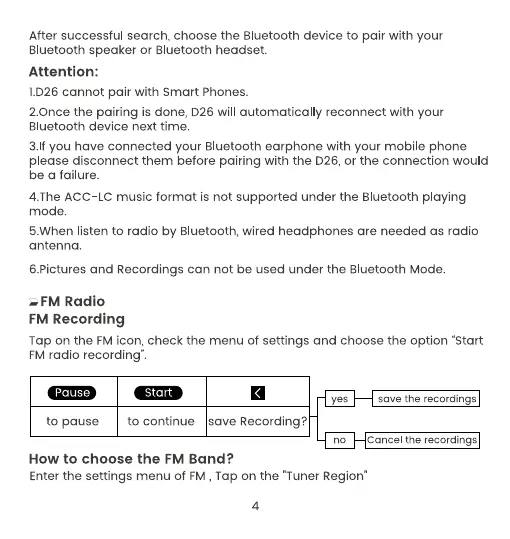
Attention:
1.026
cannot
pair
with
Smart
Phones.
2.Once
the
pairing
is
done, D26
will
automatically
reconnect
with
your
Bluetooth
device
next
time.
3.If
you
have
connected
your
Bluetooth
earphone
with
your
mobile
phone
please
disconnect
them
before
pairing
with
the
D26,
or
the
connection
would
be
a
failure.
4.The
ACC-LC
music
format
is
not
supported
under
the
Bluetooth
playing
mode.
5.When
listen
to
radio
by
Bluetooth,
wired
headphones
are
needed
as
radio
antenna.
6.Pictures
and
Recordings
can
not
be
used
under
the
Bluetooth
Mode.
FM
Radio
FM
Recording
Tap
on
the
FM
icon,
check
the
menu
of
settings
and
choose
the
option
“Start
FM
radio
recording”.
save
the
recordings
to
pause
to
continue
/save
Recording?
How
to
choose
the
FM
Band?
Enter
the
settings
menu
of
FM,
Tap
on
the
"Tuner
Region"
4

Related product manuals