2
Pictures
G
L
H
I
M
N
P
O
F
A
C
D
E
B
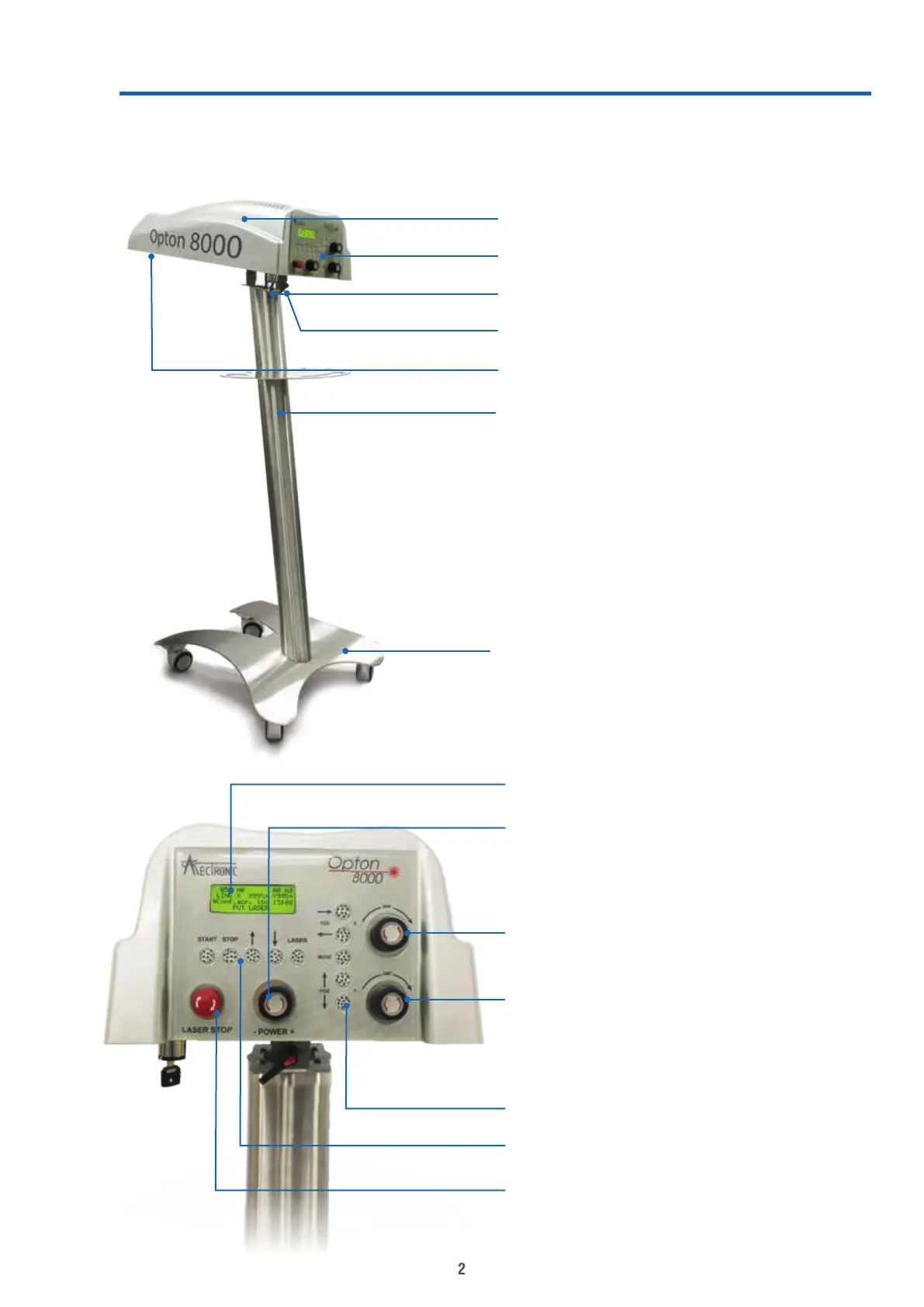
A. Laser unit
B. Control panel
C. Main switch (key)
D. Lateral movement locking lever
E. Laser emission point
F. Stand
G. Trolley base
H. Screen
I. Laser power regulation
L. X axis area adjustment
M. Y axis area adjustment
N. Verical keys: scan control
O. Horizontal keys: start & stop
commands, display interraction
P. Emergency stop button


 To Next Page