EasyManua.ls Logo

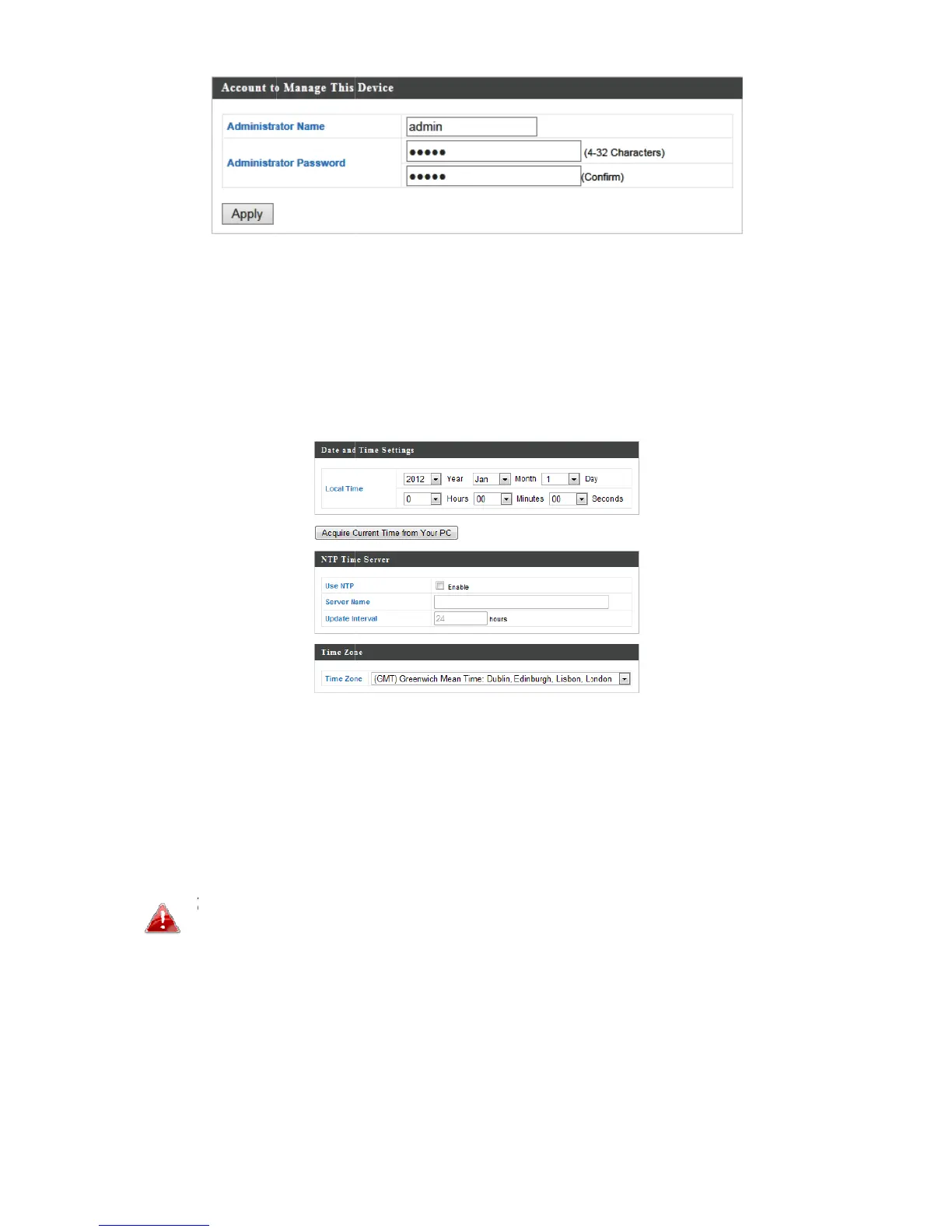
MEDIATEK MT7621A - Time and Administrator Management

MEDIATEK MT7621A
13 pages
Print Icon
To Next Page IconTo Next Page
To Previous Page IconTo Previous Page
Loading...
6
7
8
9
. Comp
andcli
c
. Toset
“Date
a
. Setth
e
down
m
soalte
r
Click
A
Yo
y
o
. Theb
a
letethe
c
k“Appl
y
thecor
r
a
ndTim
e
e
correc
t
m
enus.T
h
r
natively
A
pply”w
h
Yo
ucanu
s
o
uwish
t
a
sicsetti
“Admini
s
y
”.
r
ecttim
e
e
Setting
t
timea
n
h
eacces
youcan
h
enyou
s
ethe“A
t
osetth
e
ngsofy
o
s
trator
N
e
foryou
r
s”.
n
dtime
z
spoint
a
entert
h
arefinis
h
cquireC
u
e
access
p
o
uracce
s
10
N
ame”a
n
r
access
z
onefor
y
a
lsosup
p
h
ehostn
h
ed.
u
rrentTi
m
p
ointtot
h
s
spoint
a
n
d“Adm
point,g
o
y
ouracc
e
p
ortsNT
P
ameorI
m
efrom
y
h
esame
a
renow
inistrato
o
to“Ma
e
sspoin
t
P
(Netw
o
Paddre
s
y
ourPC”
timeas
y
configu
r
rPassw
o
nageme
n
t
usingt
h
o
rkTime
s
sofati
m
buttoni
f
y
ourPC.
r
ed.
o
rd”fiel
d
n
t”>
h
edrop
Protoco
l
m
eserv
e
f
d
s
l
)
e
r.