Getting Started
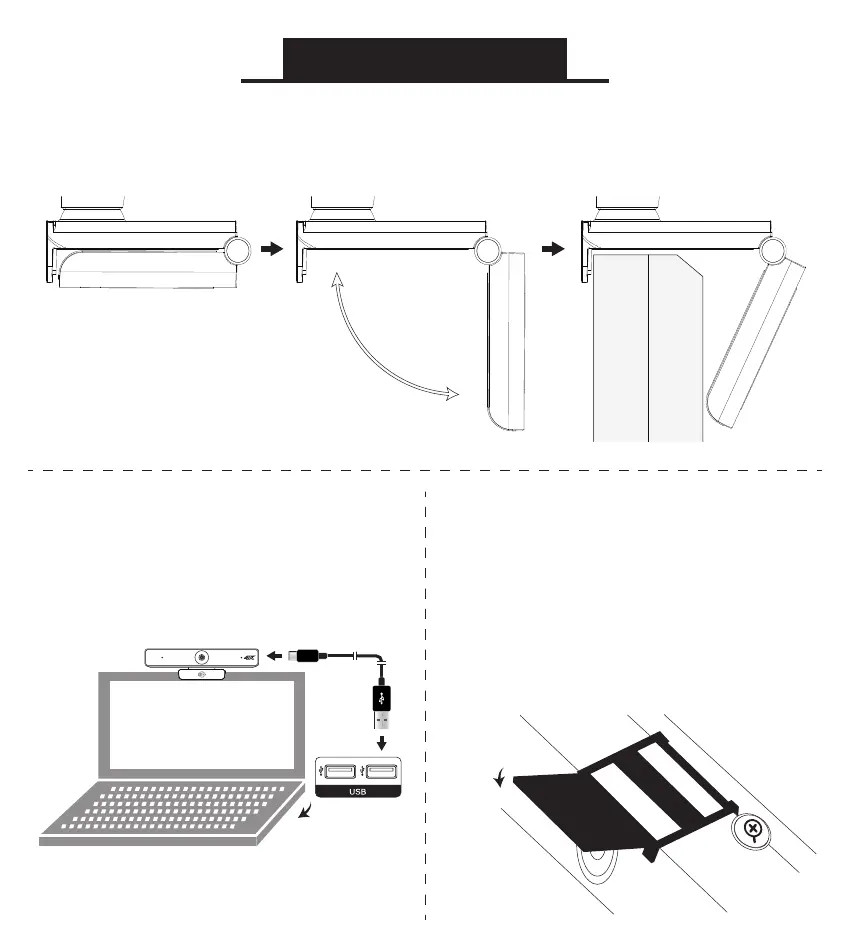
Open the base of the camera and mount it securely
on your monitor or laptop screen
Note: The camera can
also be placed on a desk
or mounted on a tripod
Connect your camera to your
computer’s USB port using the
included USB-C cable
Optional:
Installing the Privacy Shutter
Mount the privacy shutter over the
top of the camera as shown.
Align the lens cover with the lens.
Use the adhesive strip to secure
privacy shutter on camera.



 To Next Page