Charging
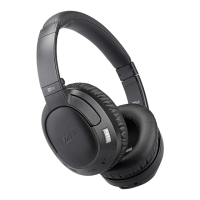
Connectmicro‐USBcabletothechargingportoftheMatrixCinemaandapowered‐oncomputerorUSB
charger.
Chargetimeis~2hours.Theredchargingindicatorlightwillturnoffoncefullycharged.
Lowbatteryisindicatedbyaflashingredstatusindicatorlightand“batterylow”
voicenotificationevery
fiveminutes.
Pairing
Powerontheheadphones.PressandholdtheMult ifunctionbuttonforabout5secondsuntilyouhear
theheadsetsay“ReadytoPair”andthelightflashesredandblue.
Note:theheadphoneswillenterpairingmodeautomaticallyonfirstuseorafterareset
Pairing(continued)
OpentheBluetoothmenuonthedeviceyouwishtopair(usuallylocat edinSettings‐>Bluetooth).If
needed,select“searchfordevices”,“addnewdevice”,or“refresh.”
Pairing(continued)
Select“MEEaudioMatrixCinema”andallowpairingtocomplete.Use“0000”ifapinisrequired.
VisittheBluetoothSupportPageatMEEaudio.com/Blue toothforadditionalBluetoothpairingandsetup
information
Note:Itisonlyne cessarytopairyourheaphonesoncewitheachdevice.
Reconnectingtopaireddevices
TheMatrixCinemastorespreviouslypaireddevicesandreconnectsautomaticallywiththelastpaired
Bluetoothdevicethatispoweredonandwithinrange.Iftheheadsetdoesnotconnectautomatically,



 To Next Page