8
Your Mega-Catch Mosquito Trap is equipped with a high tech Programmable Timer. The Timer
enables you to program the Trap to operate at times when mosquitos are most active in your
area.
The timer is equipped with an automatically recharging battery. This battery can operate`for up
to three months when fully charged. Your Mega-Catch Mosquito Trap may need several hours
of running to charge up the battery upon initial use.
NOTE: If no display appears on the Programmable Timer when the power is switched on, the
battery may be discharged. To fully recharge the battery, run the Trap for 24 hours.
You can choose to operate the Mega-Catch Mosquito Trap in 3 ways:
1. ON The Mega-Catch Mosquito Trap will run 24 hours a day while connected to a power
source.
2. OFF the Mega-Catch Mosquito Trap will not operate.
3. AUTO you can program when the Mega-Catch Mosquito Trap will start and stop.
Operation of the Programmable Timer
AM
12:33
33
Mega Catch
Fr
R
RESET
RECALL
AM
1
ON
_ _ _ _
Mega Catch
Mo Tu We Th Fr Sa Su
R
RESET
RECALL
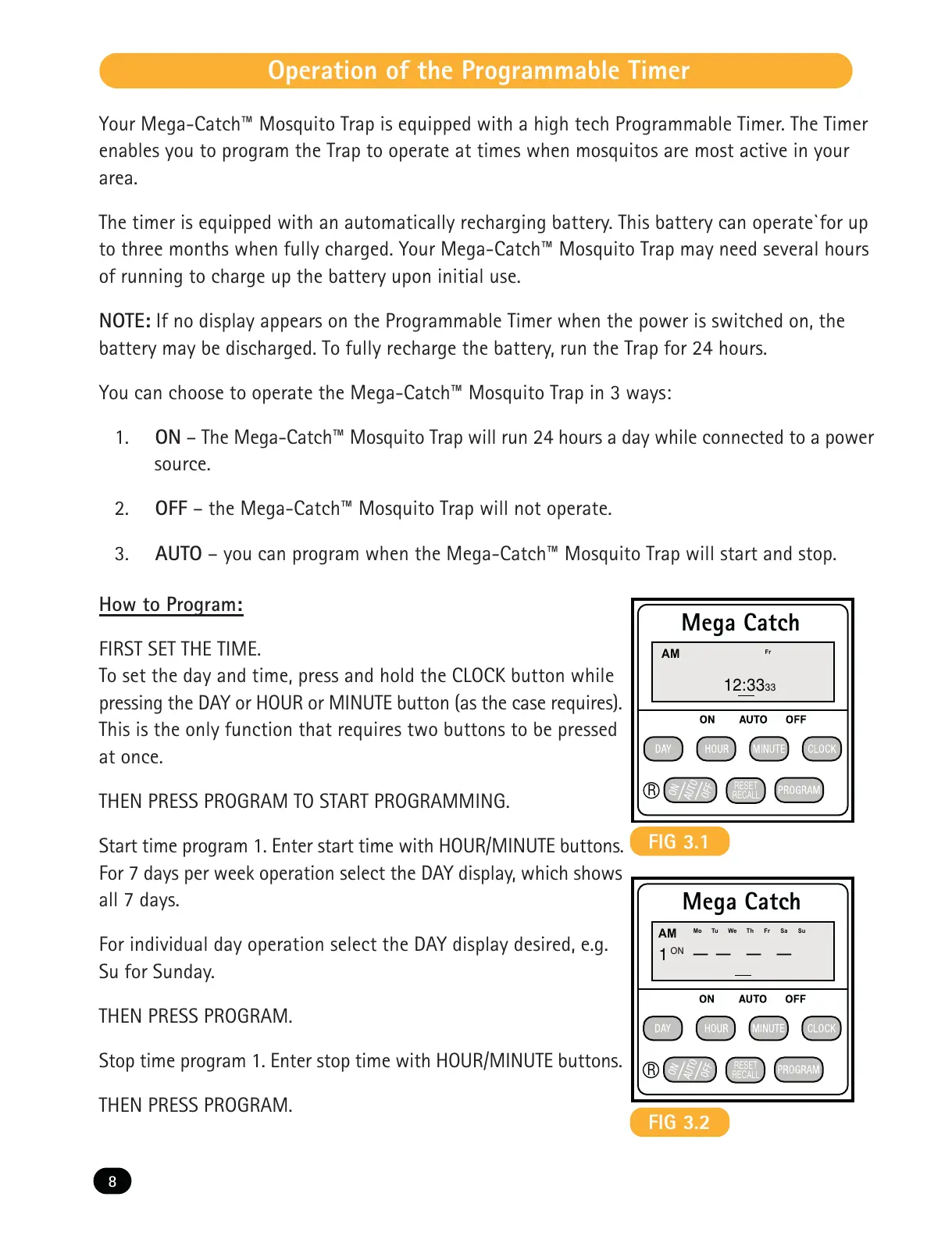
FIG 3.1
FIG 3.2
How to Program:
FIRST SET THE TIME.
To set the day and time, press and hold the CLOCK button while
pressing the DAY or HOUR or MINUTE button (as the case requires).
This is the only function that requires two buttons to be pressed
at once.
THEN PRESS PROGRAM TO START PROGRAMMING.
Start time program 1. Enter start time with HOUR/MINUTE buttons.
For 7 days per week operation select the DAY display, which shows
all 7 days.
For individual day operation select the DAY display desired, e.g.
Su for Sunday.
THEN PRESS PROGRAM.
Stop time program 1. Enter stop time with HOUR/MINUTE buttons.
THEN PRESS PROGRAM.



 To Next Page