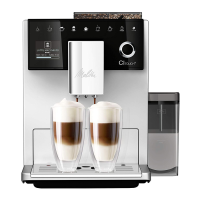
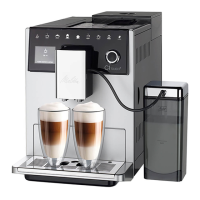
Preparing beverages
40
GB
5.2 Preparing cappuccino and
latte macchiato
Requirement: Milk is con-
nected.
1. Place a vessel beneath the outlet.
2. Press the "Cappuccino" or "Latte Mac-
chiato" button.
» Beverage dispensing is carried out
and ends automatically.
» EasyCleaning? appears on the
display.
3. Remove the vessel.
4. Run the EasyCleaning programme or
prepare further beverages and run the
EasyCleaning programme later, see
section9.4.
5.3 Preparing milk froth and
warm milk
The preparation of milk froth and warm
milk is similar.
Requirement: Milk is connected.
1. Place a vessel beneath the outlet.
2. Press the "Milk froth/milk" button.
a) Milk froth = briey press button
b) Warm milk = press the button for
longer (2 seconds)
» Milk dispensing is carried out and is
ended automatically.
3. Remove the vessel.
» EasyCleaning? appears on the
display.
4. Run the EasyCleaning programme or
prepare further beverages and run the
EasyCleaning programme later, see
section9.4.
5.4 Preparing hot water
1. Place a vessel beneath the outlet.
2. Press the "Hot water" button.
» Hot water dispensing is carried out
and is ended automatically.
3. Remove the vessel.
5.5 Preparing beverages with
recipes
In addition to standard dispensing, you
can select further beverage specialities in
the Recipes menu.
Information
When selecting a recipe with milk, connect
the milk container or a commercially
available milk pack (depending on the
model).
1. Place a vessel beneath the outlet.
2. Press the "rotary switch" and navi-
gate to the Recipes menu or press the
"myrecipes" button for a long time.
» The recipe selection appears on the
display.
3. Select a beverage recipe and conrm
your selection.
» Beverage dispensing is carried out
and ends automatically.
4. Remove the vessel.
5.6 Changing beverage set-
tings before and during
preparation
Beverage settings can be changed before
and during beverage preparation.
Information
These settings only apply to current bever-
age preparation.
Changing beverage settings before
preparation
The bean type can be changed before
selecting a beverage.
Before selecting a beverage, set
the desired bean chamber with the
"BEANSELECT" slider.
» The selected bean type is used to pre-
pare the beverage.


 To Next Page
 Loading...