Hardware Basic Operation and Installation
Rev 1.2
Mellanox Technologies
20
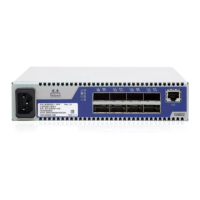
Figure 6: RJ45 I2C Connector
All firmware updates should be done in-band using Mellanox Firmware Management Tools.
The I2C connector is available only on externally managed switches and is used to update firm-
ware should in-band firmware update not work. You will need to order an MTUSB-1 USB to I2C
adapter to make use of the I2C interface. The I2C connection provides access to Flash. This is for
Advanced users and FAEs only.
The externally managed switches are Plug and Play and all firmware updates should be
done in-band. The I2C connection should only be used if the FW image was corrupted
to the point that the regular FW tools cannot successfully reburn the correct image.
Warning: Any red status LED is cause for concern and must be dealt with imme-
diately.
It can take up to 30 seconds to boot up, during which time the status LED may
indicate red.


 To Next Page
 Loading...