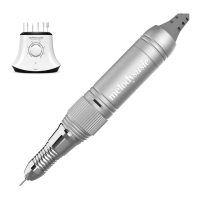
MelodySusie DR-2040 Rechargeable Nail Drill User Manual
Thank you for choosing MelodySusie! Please read this user guide carefully and keep it in an
accessible location so you may refer to it later.
How to Use
How to Replace Drill Bit
Problem and terms of settlement
1.
2.
1.
2.
3.
Misoperation Causing problems Terms of settlement
Choose one grinding drill bit, release the handpiece,
insert the drill bit into the drill and lock it in place.
Rotate the ON/OFF button to turn on the device.
Step 1:
Step 2:
Rotate the speed control knob to accelerate or
decelerate the rotation speed.
Change the rotation direction of the grinding drill bit
on the F/R button if needed.
After the polishing is finished, please rotate the
central barrel and take out the drill bit. The Handpiece
fixture could be used to place the handpiece when
not in use.
Step 3:
Step 4:
Step 5:
Turn central barrel from to until hearing a "click"
sound to release drill bit. Put the desired bit into the
handpiece.
Turn central barrel from to until hearing a "click"
sound to lock drill bit in place.
*Do not move central barrel during operation.
Charging
Changing the nail drill bit when the
power is on
Turn off the power when changing the
nail drill bit
Turn off the power when not in use
Not exceed the specified
charging time
According to the device voltage
requirements, insert the matching
power supply
The continuous working time should not be
too long when the working condition is in
heavy load. When the device is overheating,
it should be stopped immediately to make
it return to normal temperature.
1. Motor burns out
2. Bearing damages (Loud Noise)
1. Battery lifespan shortens
1. Motor burns out
2. Device lifespan shortens
3. Bearing damages (Loud Noise)
4. Handpiece damages
1. Motor burns out
The power is on when not in use
Long time, Large load
work
Insert into a mismatched
power supply
Overcharge
Do not pull the power cord/Do not use
the device when charging
Use the original specification charger
Clean dust, add the dust-proof protection
of the dustproof hood
1. Battery damages and device lifespan
shortens
2. Power cord brokes
3. Poor connection
4. Easy to cause short circuit
1. Device charging unsuccessfully
2. Battery damages
3. Easy to cause short circuit
1. Bearing damages (Loud Noise)
2. Motor gets hot
3. Rotational speed slows down
4. The potentiometer speed regulation fails
5. Handpiece damages
Put the power cord at random/
Pull the power cord/ Use the
device when charging
Replace the original charger
randomly
Dust into device
ON/OFF
Speed control knob
Handpiece jack
F/R button
LCD screen ( It will show the
RPM, direction and the battery.
Handpiece
Portable hook
Handpiece fixture
DC socket
Handpiece connector
2
3
1
4
6
7
8
9
5
1
2
3
4
5
6
7
8
9
Take out the adapter and connect it with the DC Socket.
Connect the power supply with the adapter and insert the main plug into a wall socket.
The display will show green when the drill is fully charged.


 To Next Page
 Need help?
 General