17
Channel Selection
3
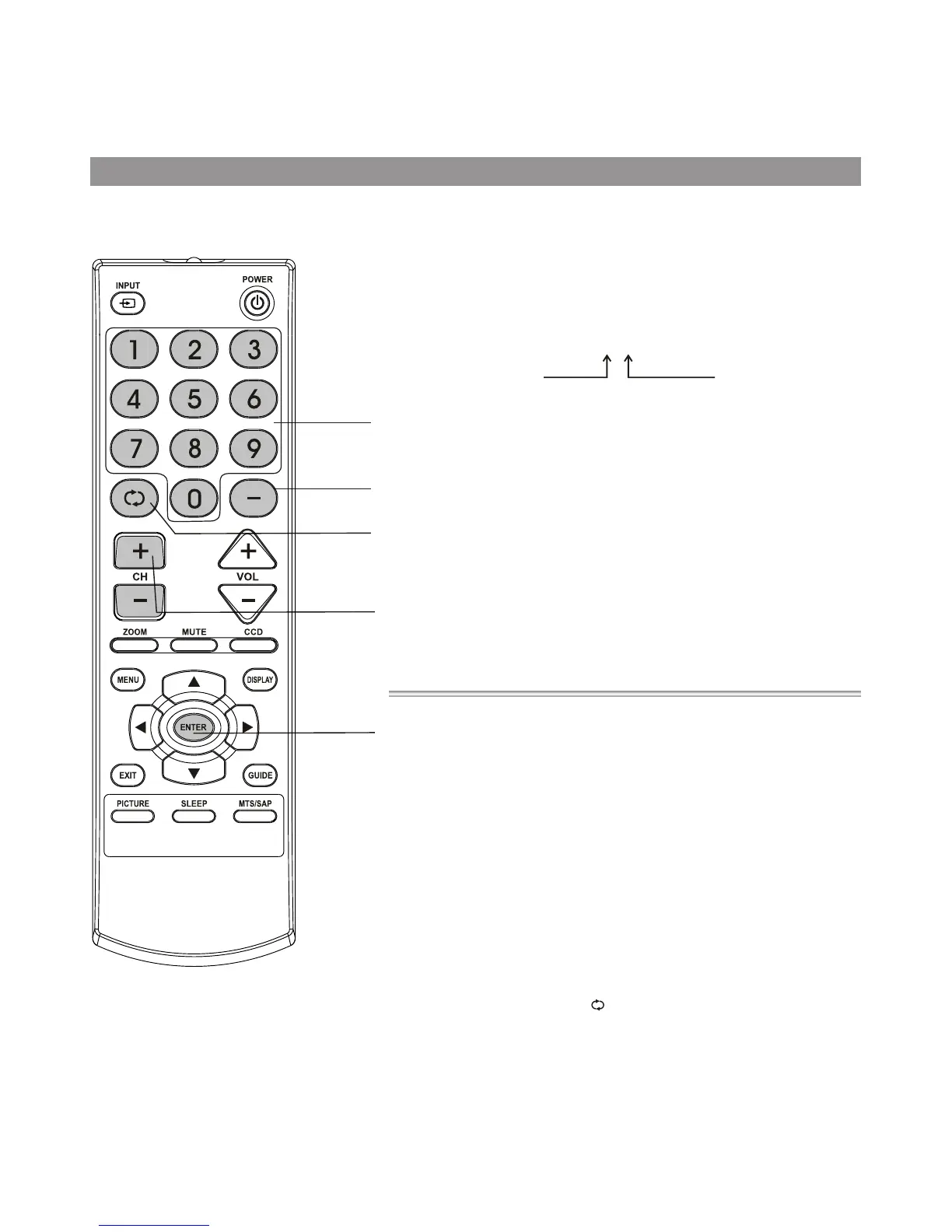
Use CH+ or CH- button
Use previous channel button
Press CH+ button, the channel number increases;
Press CH- button, the channel number decreases.
Press this button to switch between the current channel and the
previous channel.
2
Using the number pad
Press the number buttons (0-9) and the dash (-) button, then wait for
some seconds (or press ENTER button) to go directly to that channel.
For example, if you want to select channel 8-3, press 8-3 on the remote
control. (Make sure that you press the buttons within three seconds of
each other, or the channel won’s be entered correctly.)
Note: In some situations, virtual channel numbers do not correspond
to physical frequencies.
1
Information about USA channel numbering
= ATSC PSIP channel has two part channel number:
— Major channel number
— Minor channel number
=In US, in most situations the major channel number is same for both
analog and digital channels (It is equal to the NTSC channel number for
existing broadcasters.)
=In US, a minor channel
number of zero is used for a broadcaster’s analog
channel.
Channel Numbering Example
= Original NTSC Channels for Des Moines:
— 5, 8, 11, 13, 17
= Possible NTSC + ATSC Channels for Des Moines:
— 5-0, 8-0, 11-0, 13-0, 17-0 (channel numbers for existing analog
channels)
— 5-1, 5-2, 8-1, 8-2, 8-3,8-4, 13-1 (channel numbers for digital
channels)
For example:
Channel: 5-1
Major channel number
Minor channel number
Channel selection
Direct
select
DASH button
Previous channel
Channel
up/down
ENTER button



 To Next Page