4
RS485 RS232 Eth LANE th ECR USB
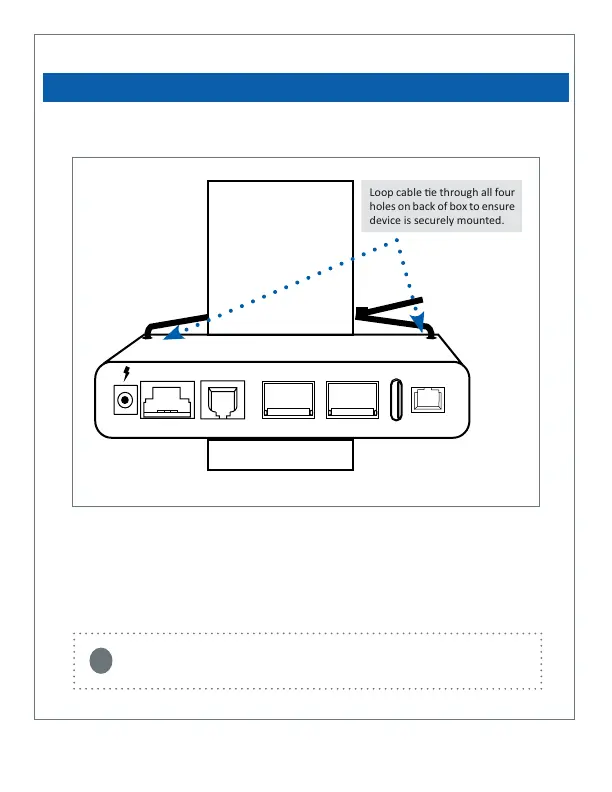
The Com Box may be xed to a tabletop or table leg using the dual lock tape provided.
It can also be axed to a table leg using the provided cable e. The cable e should
pass through each of the four holes at the rear of the device to ensure a secure
mount. Addional cable es may be used to connect USB, charging and Ethernet
cords to the register or host system.
HARDWARE SETUP
Loop cable e through all four
holes on back of box to ensure
device is securely mounted.
You may have received a ‘Y’ shaped Ethernet/power combo cable with your payment
terminal. This cable is provided by Ingenico, but not needed for connecon to the
Merchant Link network. You may discard or dispose of this cable.
i
Mounng Instrucons (oponal):
Eth ECREth LAN
USB



 To Next Page