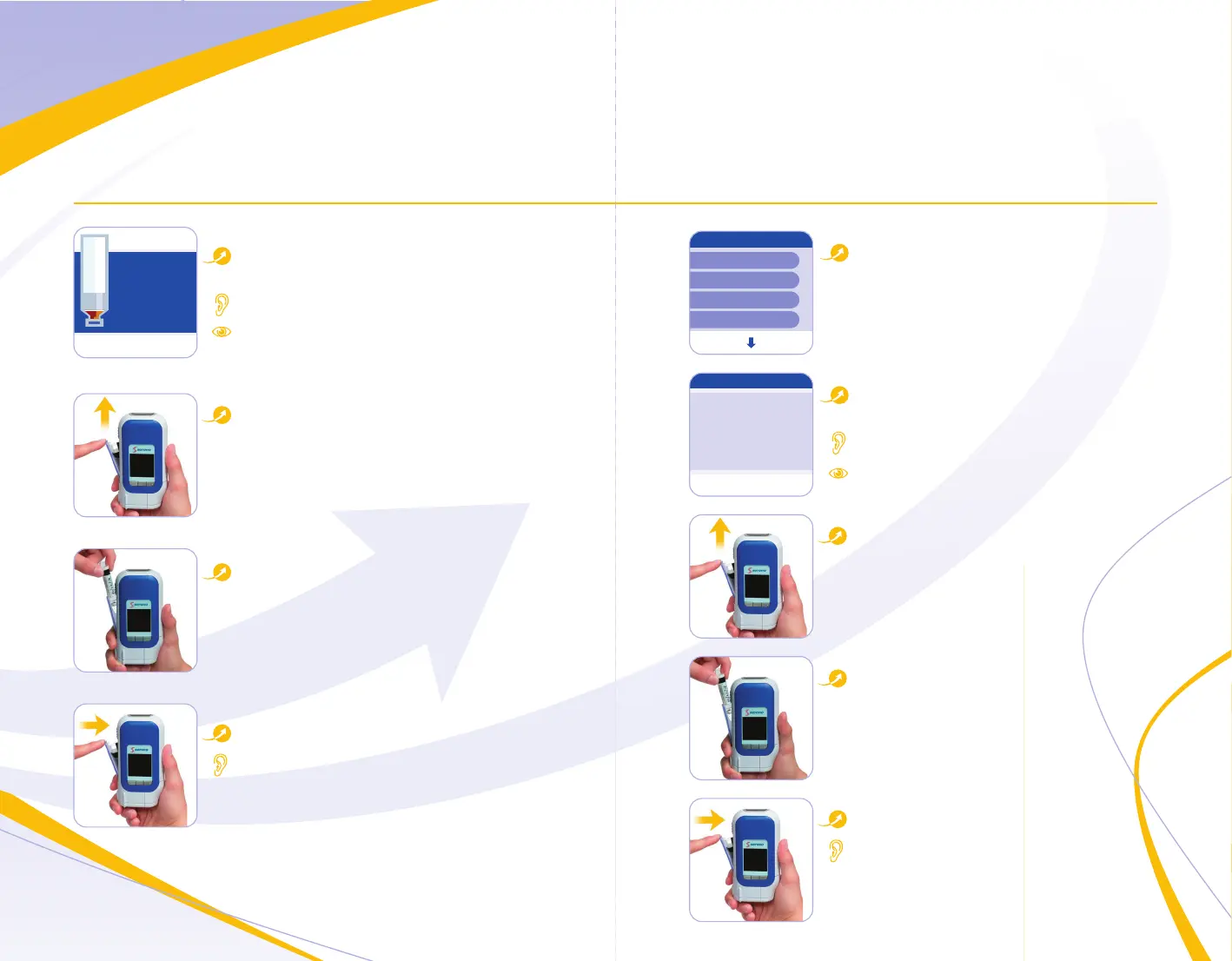
Manual Removal of Cartridge
Select Remove Cartridge
from the main menu
easypod asks you to confirm
this choice
easypod beeps twice
Screen will display
Open cartridge door
Open the cartridge door by
sliding blue button on the left
side of easypod upwards
Replace the old cartridge with
a new one
Close cartridge door
easypod beeps once when ready
9
Menu
Remove cartridge
Comfort settings
Battery status
Dose history
Open Exit
No
Remove cartridge
Yes
Confirmation?
Cartridge Empty or Expired
easypod automatically
removes the cartridge
easypod beeps twice
Screen will display
Open cartridge door
Open the cartridge door by
sliding blue button on the left
side of easypod upwards
Replace the old cartridge with
a new one
Close cartridge door
easypod beeps once when ready
8
Off
Cartridge
empty.
Change
cartridge
0
Days
Dose: 0.54 mg


 To Next Page