EasyManua.ls Logo

Meridian 861 - User Manual

Meridian 861
150 pages
Print Icon
To Next Page IconTo Next Page
Loading...
i
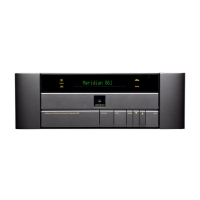
OffDSP MuteSourceReference Digital Surround Controller 861
Meridian 861 Reference Digital Surround
Controller User Guide

Table of Contents

Other manuals for Meridian 861

Questions and Answers

  • L
    Leslie PatelJul 26, 2025
    Why is there hum in my Meridian 861 system?
    • D
      Daniel RobertsJul 27, 2025
      To improve measurements, disconnect analogue sources from the analogue input card used for room correction. Reorganize wiring to eliminate the hum loop in your system. Also, hum can be picked up by the microphone/SPL meter lead, so using a shielded cable can help reduce this.
  • D
    darrell35Aug 4, 2025
    What to do if my Meridian Recording Equipment loudspeaker is running in a non-linear range?
    • J
      jason38Aug 4, 2025
      First, verify that the bass protection size is correctly set using the procedure described in Speaker size. Check that the bass drive unit in your loudspeaker is not rubbing and that your amplifier is not clipping. If issues persist, reduce the gain of the channel using the phase/gain tab under speaker layout. Use the reduced gain setting for room correction measurements, then restore the correct level for a calibrated system afterward.
  • L
    Lisa PhamAug 15, 2025
    What to do if my Meridian Recording Equipment shows power less than –44?
    • R
      Robin PowellAug 15, 2025
      Check these items: Ensure there was sound from the front left speaker during the test. If unsure, repeat the microphone/SPL meter test. If there's still no sound, check the connections from the 861 to the left loudspeaker. Power cycle the 861, select Calibrate, and confirm the left speaker plays the calibration signal. Also, verify the SPL meter lead is intact, the SPL meter is on and set to the 90dB band (or includes 90dB) with C weighting. If loudspeakers measured less than 75dB SPL during calibration, use the 80dB range. Confirm the SPL meter lead is connected to the chosen connector in the program, and the Sensitivity setting is adequate for the SPL meter or microphone.

Summary

Introduction to the Meridian 861 Controller

The 861 Reference Digital Surround Controller

Explains the role of Digital Signal Processing (DSP) in the controller's audio reproduction.

Format Decoding, DSP Presets, and Layouts

Details supported audio formats, DSP presets, and speaker layout configurations for multi-channel audio.

Overview of Controller Features

Provides a general description of the controller's architecture, MHR Smartlink, inputs, and processing.

Using the 861 Reference Digital Surround Controller

Front Panel Keys

Illustrates and explains the functions of each key on the controller's front panel for operation.

Meridian System Remote Keys

Details the various keys on the Meridian System Remote and their corresponding functions.

Switching On and Off

Provides instructions on how to power the controller on from standby and switch it back to standby.

Selecting a Source

Guides the user on how to choose and switch between the 12 available audio/video sources.

Adjusting the Volume

Details how to adjust the audio volume level and mute/unmute the sound.

Changing the DSP Preset

Guides on selecting and changing the Digital Signal Processing (DSP) presets for different audio experiences.

Changing the Display Settings

Instructs on adjusting the contrast, brightness, and displayed information on the front panel.

Customising the 861 Reference Digital Surround Controller

Locking and Unlocking the Menus

Details the procedure to lock or unlock the controller's menus to prevent accidental changes.

Changing the DSP Parameters

Explains how to adjust global and standard DSP parameters like Treble, Bass, and Balance.

Changing the Listening Position

Guides on adjusting balance, axis, and relative levels of rear/side speakers for optimal sound staging.

Defining Your Own Presets

Provides instructions on saving custom DSP parameter configurations as user-defined presets.

DSP Presets Explained

Music DSP Presets

Details eight alternative DSP presets designed for reproducing well-recorded music material.

Logic DSP Presets

Describes four DSP presets optimized for 2-channel or mono film soundtracks.

5.1 Movie and 5.1 Music DSP Presets

Lists and explains DSP presets for multi-channel movie and music sources, including variants like Cinema and THX.

Configuring Without a Computer

Choosing a Standard Setting

Explains how to select pre-defined configuration Types for common speaker and source setups.

Calibrating the System

Outlines the built-in calibration process to optimize sound with associated equipment and room acoustics.

Calibration Tests

Details specific calibration tests like Levels, Distance, Fine Tuning, and Speaker Size for system setup.

Configuring Using a Computer

The Meridian Configuration Program

Introduces the software for designing custom configurations, covering Setup, Speakers, Presets, Sources, and Cards.

Installing the Meridian Configuration Program

Provides system requirements and step-by-step instructions for installing the configuration software.

Creating a New Settings File

Guides on creating and saving a new configuration file for the surround controller using the software.

Setting Up Speakers

Details how to specify speaker layout, including number, type, and size of Mains, Centre, Surrounds, and Subwoofers.

Configuring Presets

Explains how to set up, modify built-in, and create user-defined DSP presets using the configuration software.

Calibrating the Settings of Your System

Guides on saving, printing, and storing configured settings to the digital surround controller.

Creating a User Type

Explains how to create and store custom configuration types (User Types) for easy system recall.

Using Meridian Room Correction

How Room Correction Profiles Are Calculated

Explains the process of measuring room acoustics to create digital filters for sound optimization.

Auto Set Up

Guides on launching the Room Correction application and initiating the automatic setup process.

Viewing and Repeating Measurements

Details how to access and view the acoustic measurements performed by the Room Correction program.

Creating Multiple Profiles

Explains how to create new profiles and build filters for each layout based on acoustic measurements.

Editing Filters

Guides on numerically or graphically adjusting filter parameters for custom sound tuning.

Troubleshooting Common Issues

Failed Microphone;SPL Meter Test

Provides solutions for common problems encountered during the microphone or SPL meter setup and testing phase.

Glossary of Terms

Index

Meridian 861 Specifications

General IconGeneral
BrandMeridian
Model861
CategoryRecording Equipment
LanguageEnglish