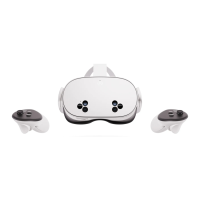
Initial Setup
The Meta Quest mobile app acts as a companion to your Meta Quest Pro, Meta
Quest 2 or Meta Quest headset. With the app, you can:
■ stay notified about sales and upcoming releases;
■ buy, download and remotely install VR apps;
■ browse and manage your VR apps;
■ customise your device settings;
■ cast your VR experience to your phone or any Chromecast-enabled device;
■ Set up your Meta Quest Pro, Meta Quest 2 or Meta Quest headset.
Additional notes
■ The minimum OS requirements for phones to run the Meta Quest mobile app are Apple iOS 12.4 +
or Android 5.0+
■ Your phone must be conn e c t e d t o Wi-Fi and have Bluetooth turned on to use the Meta Quest
mobile app to set up your Meta Quest Pro, Meta Quest 2 or Meta Quest.
■ If you install the Meta Quest mobile app on an unsupported device, you may experience issues
while setting up your headset.
■ After completing the initial activation of your headset using the Meta Quest mobile app, you'll be
able to finish setting up your headset in VR.
👉 Download the Meta Quest mobile app
■ Google Play Store
■ App Store
Install the Meta Quest mobile app on your phone
2



 To Next Page