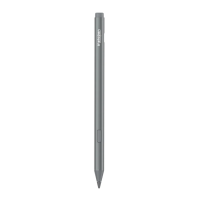
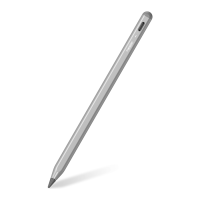
Metapen Surface Pen M2
v Specification
User Manual
LED Indicator
Type-C Port
Pen Tip
v Package list
1• MetapenSurfacepen M2
1• Type-CCable
Tail Eraser
Right-click
Button
1 • User Manual
1• pen Tip
Item name
Model Number
Battery Type
Charging Method
Charging Time
using Time
Palm Rejection Function
Levels Of Pressure
package Size
Stylus Size
Stylus Weight
v FAQ
Surface Pen M2
ME-MPP702
65mAh lithium battery
Type-c
100 hours when fully charged
Supported
mm
14g•g mm
13.8g± 3.0 g
v Compatible devices
Microsoft Surface 3
Microsoft Surface Duo/Duo 2
Microsoft Surface Go/Go 2/60 3
Microsoft Surface Studio/Studio 2
Microsoft Surface pro 3/4/5/6/7/8/x
Microsoft Surface Book/Book 2/Book 3
Microsoft Surface Laptop/Laptop 2/Laptop 3
For more compatible tablet modelsfrom HP,
ASUS,Lenovo,Acerand etc, pleasecontact usat
support@metapen.com
v Quick Guide
How to Use?
1. Working mode
Pick up and slightly shake the stylus to wake up.
No need to pair with an APP or Bluetooth.
2. Sleeping Mode
Automatically enter sleep mode after 5 minutes
of inactivity.
3. Hover Mode
When the tip is close to the screen(<5mm),
stylus pen wakes up from sleep mode and a
cursor shows on the screen.
4. Replace the tip
Directly pull out the old pen tip, then insert the
new tip until it's fixed.
LED Indicator Guide
Charging: LED turns orange
Fully charged: LEDturns white
Low LEDturns orange and blinking
v Warning
1. Chokinghazard - Small parts. Childrenshould
use the device under adult supervision.
2. Built-in non-removable battery, any improper
usagemay causebattery safetyhazardsand lead
to safety problems.
3. For better protect battery, we recommend not
usethe stylus pen whencharging.
4. Werecommendusingreplacementtips officially
manufactured by metapen.
5. Please use the device within OOC-350C,and
store it within -200C-450C.Too high or low
temperature may cause malfunction.
6. Pleasecharge within OOC-400Cto avoid
battery performance degradation and standby
time reduction.
7. Donot usethe devicein wetplacesor nearstrong
magneticfields.
8. Keep the device dry and do not use harsh
chemicals, strong cleaning to clean the device.
Wipe the device with a clean, dry soft cloth.
f any part of the device is cracked or broken,
pleasestop usingit immediately and contact us:
support@metapen.com
Q:Why my stylus pen can't work with my
Microsoft Surface?
1) Please make sure your stylus pen is fully
charged(led will turn white) .
2) Make sure your Microsoft Surface is compatible
with our M2 stylus.
3) A cursor will show when you hover your pen
over the screen.
• When charging, use our included Type-C cable
and make sure the charger is connected properly.
If you still have problems, please don't worry and
feel free to contact us at support@metapen.com
(24 Hours Fast Response & 12 months Warranty)
v Correct Disposal of This Product
(Waste Electrical& Electronic Equipment)
This Marking shown on the product or its
literature, indicate that it should not be
disposed with other household wastes at
the end of its working life.
To prevent possible harm to the environment or
human health from uncontrolled waste
disposal,please separate this from other types
of wastes and recycle it responsibly to promote
the sustainable reuse of material resources.
Household user should contact either the
retailer where they purchased this product or
their local government office, for details of
where and hewthey cantake this item for
environmentally safe recycling.
Businessusersshouldcontact their supplier and
check the terms and conditions of the purchase
contact This product should not be mixed with
other commercial wastes for disposal.
v FCC Statement
Any Changes or modifications not expressly
approved by the party responsible for compliance
couldvoid the user'sauthority to operatethe
equipment. Thisdevicecomplieswith part 15 Of
the FCCRules. Operation is subject to the
following two conditions: (1) This device may not
cause harmful interference, and (2)this device
must acceptanyinterferencereceived,including
interference that may cause undesired operation.
Note:Thisequipment hasbeentested andfound
to comply with the limits for a Class B digital
device, pursuant to part 15 of the FCCRules.
Theselimits aredesignedto providereasonable
protection againstharmful interferencein a
residential installation. This equipment generates
uses and can radiate radio frequency energy and,
if not installed and used in accordance with the
instructions, may cause harmful interference to
radio communications. However, there is no
guarantee that interference will not occur in a
particular installation. Ifthis equipment does
cause harmful interference to radio or television
reception, which can be determined by turning
the equipment off and on, the user is encouraged
to try to correct the interferencebyone or more of
the following measures:
-Reorient or relocate the receivingantenna
-Increase the separation between the
equipment and receiver.
-Connectthe equipment into an outlet on a
circuit different from that to which the receiver
is connected.
-Consult the dealer or an experiencedradio/TV
technician for help.
MADE IN CHINA
DE
v Kurzanleitung
Wie benutzt man es?
1. im Arbeitsmodus
Nehmen Sie den Stift in die Hand und
schütteln Sie ihn leicht, um ihn aufzuwecken.
Keine Notwendigkeit, mit einer APPOder
Bluetooth zu koppeln.
2. Schlafmodus
Automatischer Übergang in den Schlafmodus
nach 5 Minuten Inaktivität.
3. schwebender Modus
Wenn sich die Spitze in der Nähe des
Bildschirms befindet (<5mm), wacht der Stift
aus dem Schlafmodus auf und ein Cursor Wird
auf dem Bildschirm angezeigt.
4. die Spitze austauschen
Ziehen Sie die alte Stiftspitze direkt heraus
und setzen Sie dann die neue Stiftspitze ein,
bis Sie fest sitzt.
LED-Anzeige Anleitung
Aufladen: LED leuchtet orange
Vollständig aufgeladen: LED leuchtet weiß
Niedriger LED leuchtet
orange und blinkt
v Warnung
1. Erstickungsgefahr - Kleine Teile. Kinder
sollten das Gerät unter Aufsicht von
Erwachsenen benutzen.
2. Eingebaute, nicht herausnehmbare Batterie.
Jede unsachgemäßeVerwendung kann die
Sicherheit der Batterie gefährden und zu
Sicherheitsproblemen führen.
3. IJmden Akku besser zu schützen, empfehlen
wir, den Stift beim Aufladen nicht zu benutzen.
4. Wir empfehlen die Verwendungvon
Ersatzspitzen, die offiziell von metapen
hergestellt werden.
5. Bitte verwenden Sie das Gerät innerhalb von
OOC-350C,und speichern Siees innerhalb von
-200C-60'C.Eine zu hohe Oderzu niedrige
Temperatur kann zu Fehlfunktionen führen.
6. Bitte laden Sie das Gerät innerhalb von
auf, um eine Verschlechterung der
Batterieleistung und eine Verkürzung der
Standby-Zeit zu vermeiden.
7. Verwenden Sie das Gerit nicht an feuchten
Orten Oder in der Nähe starker Magnetfelder.
8. Halten Sie das Gerät trocken und
verwenden Sie keine scharfen Chemikalien
Oder starke Reinigungsmittel zur Reinigung.
Wischen Sie das Gerät mit einem sauberen,
trockenen, weichen Tuch ab.
Sollte ein Teil des Geräts rissig Oder kaputt
sein, verwenden Sie es bitte nicht weiter und
kontaktieren Sie uns:
support@metapen.com
v Schnelle allgemeine Fragen
und Antworten
F: Warum funktioniert mein Stylus-Stift nicht
mit meinem Microsoft Surface?
1) VergewissernSie sich, dass Ihr Stylus-Stift
vollständig aufgeladen ist (die LED Wird weiß).
2) Stellen Sie sicher, dass Ihr Microsoft Surface
mit unserem M2-Stift kompatibel ist.
3) Ein Cursor Wird angezeigt, wenn Sie mit
dem Stift über den Bildschirm fahren.
Verwenden Sie beim Aufladen unser
mitgeliefertes Typ-C-Kabel und stellen Sie
sicher, dass das Ladegerät richtig
angeschlossen ist.
Wenn Sie immer noch Probleme haben,
machen Sie sich bitte keine Sorgen und
kontaktieren Sie uns unter
support@metapen.com (24 Stunden schnelle
Antwort & 12 Monate Garantie)
Guide rapide
Comment l'utiliser ?
1. Mode de travail
Prenezle stylet et secouez-lelégerementpour le
réveiller. II Nest pas nécessaire de l'associer
une application ou Bluetooth.
2. Mode veille
Passeautomatiquement en mode veille apris 5
minutes d'inactivité.
3. Mode vol stationnaire
Lorsquela pointe est prochede l'écran (<5mm),
le stylet sort du mode veille et un curseur
s'affiche l'écran.
4. Remplacement de la pointe
Retirez directement l'ancienne pointe du
stylet, puis insérez la nouvelle pointe jusqu'å
ce qu'elle Soit fixée.
Guide des indicateurs LED
Chargement: La LEDdevient orange
Pleinecharge : LaLEDdevient blanche
Batterie :
La LEDdevient Orangeet clignote
v Avertissement
1. Risqued'étouffement - Petites piéces.Les
enfants doivent utiliser l'appareil sous la
surveillance d'un adulte.
2. Batterie intégréenonamovible, toute
utilisation incorrecte peut entrainer des risques
de sécurité de la batterie etconduire å des
problémesde sécurité.
3. Pourmieuxprotéger la batterie, nousvous
recommandons de ne pas utiliser le stylet
pendant la charge.
4. Nous vous recommandons d'utiliser des
pointes de remplacement officiellement
fabriquées par Metapen.
5. S'il vousplait utiliser l'appareil dansOUC-35'C,
et le stockerdans -200C-450C.Unetempérature
trop élevéeou trop bassepeutentrainer un
dysfonctionnement.
6. Veuillez charger dans une fourchette de
pour éviter la dégradation des
performancesde la batterie et la réduction du
temps de veille.
7. N'utilisez pas l'appareil dans des endroits
humidesou proximitéde champsmagnétiques
puissants.
8. Gardez l'appareil au sec et n'utilisez pas de
produits chimiques agressifs ou de produits de
nettoyage puissants pour le nettoyer. Essuyez
l'appareil avec un chiffon doux, propre et sec.
Si une partie de l'appareil est fissuréeou cassée,
veuillez cesser de l'utiliser immédiatementet
nous contacter : support@metapen.com
v Questions et réponses
courantes rapides
Q : Pourquoi mon stylet ne fonctionne-t-il pas
avec mon Microsoft Surface ?
1) Veuillez vous assurer que votre stylet est
complitement chargé (le voyant devientblanc).
2) Assurez-vous que votre Microsoft Surface est
compatible avec notre stylet M2.
3) Un curseur s'affiche lorsque vous passez votre
stylet au-dessusde liécran.
Lorsde la charge,utilisez notre cableType-C
inclus et assurez-vous que le chargeur est
correctement connecté.
Sivous avezencoredesprobl&mes,nevous
inquiétez paset n'hésitezpaså nous contacter å
support@metapen.com (réponserapide en 24
heures et garantie de 12 mois).
7106500161
v Guida rapida
Come usarlo ?
1. Modalitå di lavoro
Prendi e scuoti leggermente 10stilo per
svegliarlo. Nonc'é bisogno di accoppiare con
un APP o Bluetooth.
2. Modalitå riposo
Entra automaticamente in modalitå sleep dopo 5
minuti di inattlvitå.
3. Modalitå Hover
Quando la punta vicina allo schermo (<5mm),
la pennastilo sisvegliadalla modalitä sleepe un
cursore appare sullo schermo.
4. Sostituire la punta
Estrarre direttamente la vecchia punta della
penna, quindi inserire la nuova punta delta
penna fino a quando é fissa.
Guida agli indicatori LED
In carica: II LED diventa arancione
Completamente carica: II LEDdiventa bianco
Batteria
II LEDdiventa arancionee lampeggia
v Attenzione
1. Pericolo di soffocamento Parti piccole. I
bambini dovrebbero usare il dispositivo sotto la
supervisione di un adulto.
2. Batteria incorporata non rimovibile, qualsiasi
uso improprio pub causare pericoli per la
sicurezza della batteria e portare a problemi di
sicurezza.
3. Per proteggere meglio la batteria, si consiglia
di non utilizzare la penna stilo durante la
ricanca.
4. Si consiglia di utilizzare punte di ricambio
prodotte ufficialmente da metapen.
5. Si prega di utilizzare il dispositivo entro 0
oc-•350C,e conservarlo entro -200c-45ec. una
temperatura troppo alta o bassapub causare
malfunzionamenti.
6. Si prega di caricare entro per evitare
il degrado delle prestazioni deda batteria e la
riduzione del tempo di standby.
7. Non utilizzare il dispositivo in luoghi umidi o
vicino a forti campi magnetici.
8. Tenere il dispositivo asciutto e non usare
prodotti chimici aggressivi, pulizia forte per
pulire il dispositivo. Pulire il dispositivo con un
panno morbido pulito e asciutto.
Se una qualsiasi parte del dispositivo
incrinata o rotta, si prega di smettere di usarlo
immediatamente e di contattarci:
support@metapen.com
v Domande e risposte
veloci e comuni
D: perché la mia penna stilo non pub
funzionare con il mio Microsoft Surface?
1) Assicurati che la tua pennastilo sia
completamente carica (il led diventerå
bianco).
2) Assicurati Che il tu0 Microsoft Surface sia
compatibile con il nostro stilo M2.
3) Un Cursoreverrå visualizzato quando si
passa la penna sullo schermo.
• Durante la ricarica, usa il nostro CavoType-C
incluso e assicurati Che il caricatore sia
collegato correttamente.
Se hai ancora problemi, per favore non
preoccuparti e sentiti libero di contattarci a
support@metapen.com (24Oredi risposta
veloce e 12 mesi di garanzia)
I-JK REP
REP
Name:Sea&MeWAccountingLtd
Address: Electric Avenue Vision 25 London,
Enfield
Co BillyHan
E-mail: info@seamew net
Name: Sea'Mew Consulting GmbH
Address: Mittenhuber Straße
4, 92318 Neumarkt
Contact Person: Yuan Li
E-mail:ComplianceELJ@autlookæ7
ES
v Guia råpida
zc6mo usarlo?
1. Modo de trabajo
Recogey agita ligeramente el lépiz 6ptico para
que seactive. Noesnecesarioemparejarlo con
una APP o Bluetooth.
2. Modo de reposo
Entraautométicamente en modo de reposo
después de 5 minutos de inactividad.
3. Modo Hover
Cuando la punta esti cerca de la pantalla
(<5mm), el låpiz Optico se despierta del modo de
reposo y se muestra un cursor en la pantalla.
4. Sustituci6n de la punta
Saque directamente la punta del 15pizvieja,
luego inserte la nueva punta del läpiz hasta
que quede fija.
Guia de indicadores LED
Cargando:ElLEDsevuelve naranja
Completamentecargado:ElLEDsevuelveblanco
Bateria
ElLEDse vuelvenaranja y parpadea
v Advertencia
1. Peligro de asfixia - Piezas pequeias. Los
niäos deben utilizar el aparato bajo la
supervisiån de un adulto.
2. Bateria incorporada no extraible, cualquier
uso inadecuado puede causar riesgos de
seguridad de la bateria y conducir a
problemas de seguridad.
3. Paraproteger mejor la bateria, se recomienda
no utilizar el låpiz öptico durante la carga.
4. Recomendamos utilizar puntas de repuesto
fabricadas oficialmente por metapen.
5. Por favor, utilice el dispositivo dentro de 0
oc-35ec, y guårdelo dentro de -200c-•45uc.una
temperatura demasiado alta o baja puede
causar un mal funcionamiento.
6. Por favor, cargue dentro de OOG400C para
evitar la degradaci6n del rendimiento de la
bateria y la reducci6n del tiempo de espera.
7. No utilice el dispositivo en lugares himedos
o cerca de fuertes campos magnéticos.
8. 8. Mantenga el dispositivo seco y no utilice
productos quimicos fuertes para limpiarlo.
Limpie el dispositivo con un paho suave,
limpio y seco.
Si alguna parte del dispositivo estå agrietada
o rota, por favor deje de usarlo
inmediatamente y pöngase en contacto con
nosotros: support@metapen.com
v Preguntas y respuestas
råpidas y comunes
P: iPor qué mi lipiz 6ptico nofunciona con mi
Microsoft Surface?
1) Por favor, asegüresede que su låpiz 6ptico
estå completamente cargado (el led se volverå
blanco).
2)Asegüresede que su MicrosoftSurfacees
compatible con nuestro låpiz MI.
3) Semostrarå un cursor cuando paseel låpiz
por encima de la pantalla.
Cuandocargueel lépiz, utilice nuestrocable
Type-Cincluido y asegüresede queel cargador
estå conectado correctamente.
Sitodavia tiene problemas, por favor no se
preocupe y no dude en ponerse en contacto con
nosotros en support@metapen.com (24 horas
de respuestaråpida y 12 mesesdegarant(a)
rng!geg.n


 To Next Page
 Need help?
 General