MFJ-434B Instruction Manual Voice Keyer
2
Once again, this manual contains important technical information and operating instructions
you'll need to know before using your keyer. Please read it thoroughly, and enjoy operating to
the fullest!
POWERING YOUR MFJ-434B
Important Note
: We recommend turning your radio on before powering up the voice keyer.
When some transceivers are turned off, the PTT line may be held low. This might cause the
keyer to boot up improperly and enter the self-test mode.
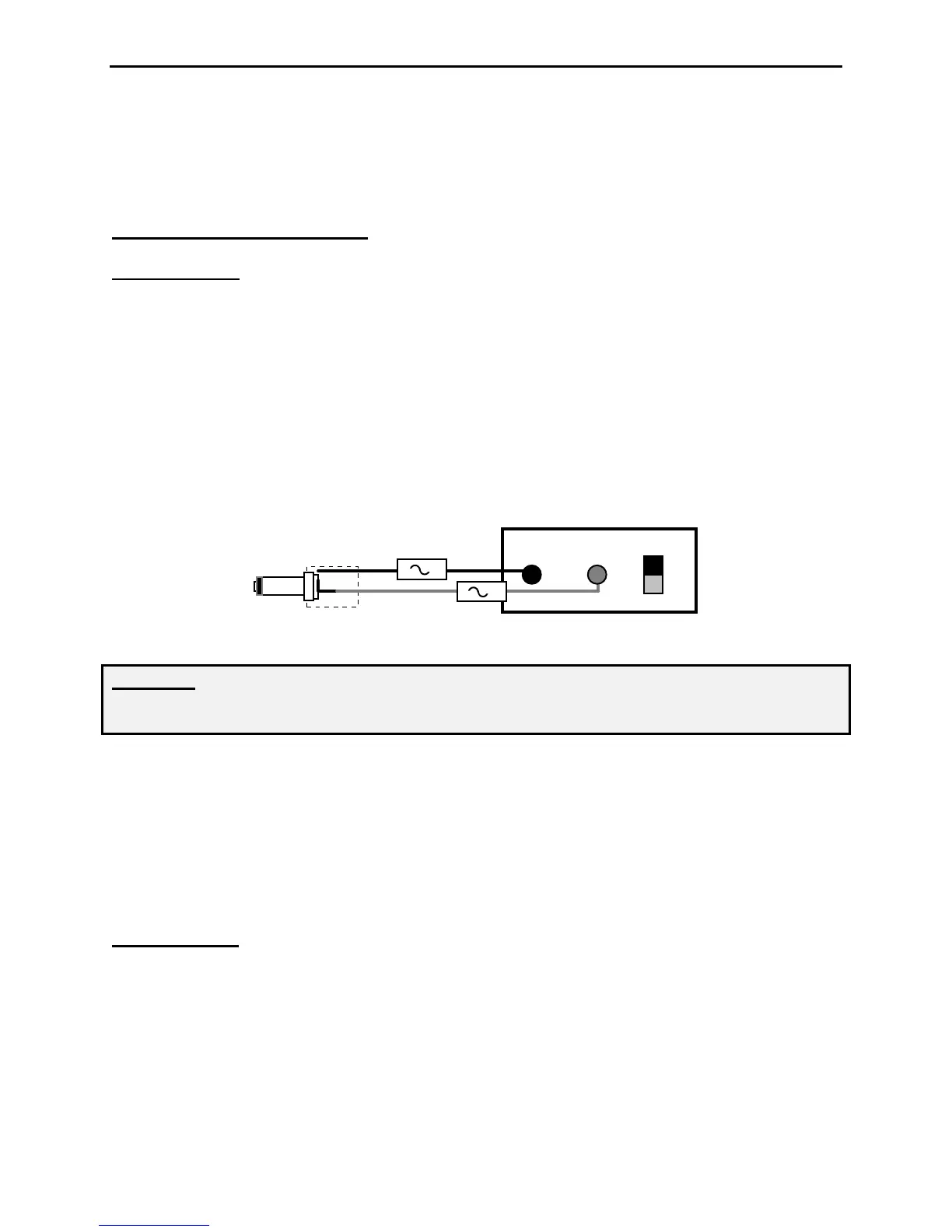
External Power: Use any well filtered power source capable of supplying 9-15 Vdc @100 mA
(minimum operating voltge is 8 Vdc under full load, sources exceeding 16 Vdc may permanently
damage this product). The keyer's external power jack accepts a standard 2.1mm coaxial power
plug (spares are available from Radio Shack). The power plug's center pin must be positive (+)
and ground-isolated. The outer shell is negative (-) and may be grounded or floated at the
supply. When connecting to a high current (more than one ampere) supply, we strongly
recommend fuse protecting both positive and negative supply leads with ½ ampere to 1 ampere
fast-blow fuses.
+
-
Power Supply+
-
1-A
1-A
WARNING: Never insert the power plug with power applied—an accidental short from
(+) to chassis ground may result. Also, never allow keyer supply voltage to exceed 16
Vdc. Connections to high current power sources must be fuse protected!
MFJ-1312B Power Supply: The MFJ-1312B wall adapter is also suitable for powering your
voice keyer. It comes with a 2.1mm power plug pre-installed, and is available directly from MFJ
or through your local MFJ dealer.
Internal Power: Use any fresh 9-volt battery for this application. Because current drain is
relatively high (15 mA on idle and 65 mA on transmit), battery life is typically quite short.
Continuous or prolonged operation on internal battery power is not recommended.
Important Note
: MFJ does not recommend powering your unit with a 9-volt battery unless a
suitable external supply is unavailable. To install the internal 9-volt battery, remove the keyer's
cover and locate the battery snap inside. Note the plastic insulating sleeve covering the snap
terminals—this sleeve prevents the contacts from shorting to the case or other components. Slip
the sleeve down onto the wires so it won't become misplaced, and install the battery. Mount the
battery in its retainer on the back panel.


 To Next Page
 Loading...