EasyManua.ls Logo

MG BB4KWiFiReceptacle - User Manual

MG BB4KWiFiReceptacle
32 pages
Print Icon
To Next Page IconTo Next Page
Loading...
1 Version 2.0
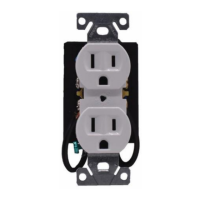
Bush Baby Receptacle
with 4K Wi-Fi Hidden
Camera
SKU: BB4KWiFiReceptacle
Question and Answer IconNeed help?

Do you have a question about the MG BB4KWiFiReceptacle and is the answer not in the manual?

Summary

Before You Get Started

App Download and Wi-Fi Pairing

Instructions for downloading the LookCamPro app and initial Wi-Fi pairing procedures.

Step One: App & Wi-Fi Pairing

Connect to Devices Wi-Fi Signal

Steps to connect your phone to the device's Wi-Fi signal for initial setup.

Step Two: Record to MicroSD Card

Configure Recording Settings

Details on record length, video stream resolution, and video modes like Stop, Throughout, and Alarm Video.

Step Three: Motion Detection Setup

Step Four: Change Device Password

Livestreaming Your Device

Troubleshooting

Summary

Before You Get Started

App Download and Wi-Fi Pairing

Instructions for downloading the LookCamPro app and initial Wi-Fi pairing procedures.

Step One: App & Wi-Fi Pairing

Connect to Devices Wi-Fi Signal

Steps to connect your phone to the device's Wi-Fi signal for initial setup.

Step Two: Record to MicroSD Card

Configure Recording Settings

Details on record length, video stream resolution, and video modes like Stop, Throughout, and Alarm Video.

Step Three: Motion Detection Setup

Step Four: Change Device Password

Livestreaming Your Device

Troubleshooting

MG BB4KWiFiReceptacle Specifications

General IconGeneral
BrandMG
ModelBB4KWiFiReceptacle
CategoryDigital Camera
LanguageEnglish