EasyManua.ls Logo

MGA CS-2015R - Page 6

Default Icon
28 pages
Print Icon
To Next Page IconTo Next Page
To Previous Page IconTo Previous Page
Loading...
FEATURES
AND
FUNCTIONS
FRONT
PANEL
CONTROLS
—
LOCATION
AND
DESCRIPTION
AMGA
ADJUST
AUDIO
VIDEO
oO
@
ic)
@
Q
@)
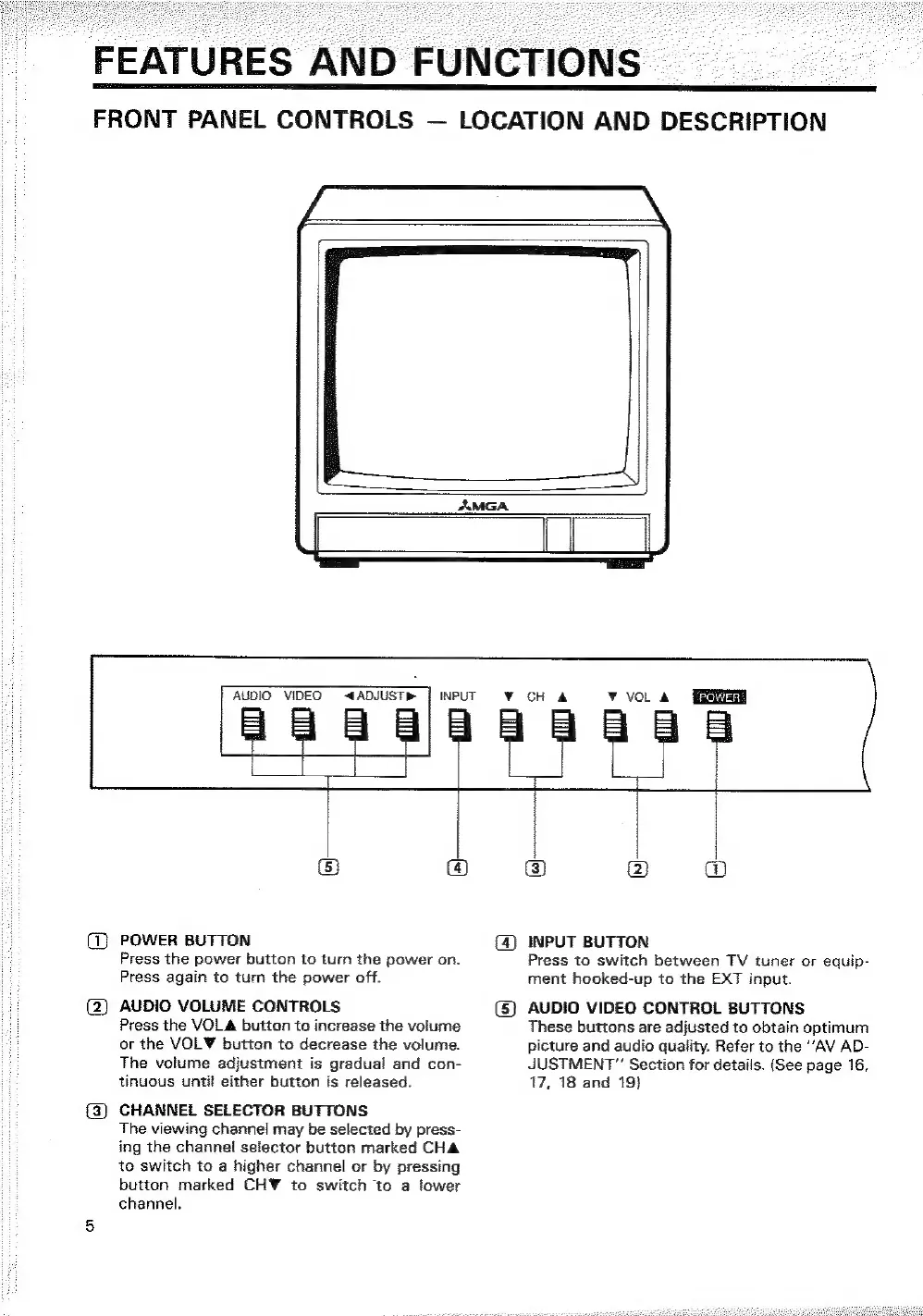
POWER
BUTTON
Press
the
power
button
to
turn
the
power
on.
Press
again
to
turn
the
power
off.
AUDIO
VOLUME
CONTROLS
Press
the
VOLA
button
to
increase
the
volume
or
the
VOLY¥
button
to
decrease
the
volume.
The
volume
adjustment
is
gradual
and
con-
tinuous
until
either
button
is
released.
CHANNEL
SELECTOR
BUTTONS
The
viewing
channel
may
be
selected
by
press-
ing
the
channel
selector
button
marked
CHA
te
switch
to
a
higher
channel
or
by
pressing
button
marked
CH¥
to
switch
to
a
lower
channel.
INPUT
BUTTON
Press
to
switch
between
TV
tuner
or
equip-
ment
hooked-up
to
the
EXT
input.
AUDIO
VIDEO
CONTROL
BUTTONS
These
buttons
are
adjusted
to
obtain
optimum
picture
and
audio
quality.
Refer
to
the
“AV AD-
JUSTMENT”
Section
for
details.
(See
page
16,
17,
18
and
19}