Need help?
Do you have a question about the Mi P1 and is the answer not in the manual?
Detailed technical specifications including model, power, screen size, resolution, and audio/video formats.
Diagram illustrating all available input and output ports, such as HDMI, USB, and AV inputs.
Explanation of the purpose and operation of each button on the TV remote control.
Guidelines for safe TV installation, wall mounting, moving, and ensuring proper ventilation.
Precautions regarding TV placement, operating conditions, environment, and potential hazards.
Information on safe product disposal, RoHS compliance, EU declaration, and RF frequency usage.
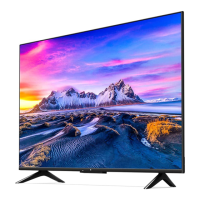
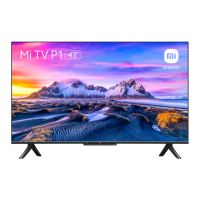
This document serves as a user manual for the Mi TV P1 43", providing essential information for its setup, operation, and maintenance.
The Mi TV P1 43" is a smart television designed for home entertainment. It operates on the Android TV platform, offering a wide range of functionalities beyond traditional broadcasting. Users can access various streaming applications, play games, and connect external devices for an immersive media experience. The TV supports high-resolution video playback, ensuring clear and vibrant visuals. It integrates features like Google Assistant for voice control, allowing for hands-free navigation and content search. The television is equipped with multiple input and output ports, including HDMI, USB, optical out, and Ethernet, facilitating connectivity with a diverse array of peripherals such as Blu-ray players, game consoles, digital set-top boxes, and computers. Wireless connectivity options like Wi-Fi and Bluetooth further enhance its versatility, enabling seamless integration with home networks and other smart devices. The inclusion of Chromecast built-in allows users to cast content directly from their mobile devices or computers to the TV screen.
The Mi TV P1 43" is designed for user-friendly operation, primarily through its remote control. The remote features dedicated buttons for power, volume, channel selection, and quick access to popular streaming services like Netflix and Prime Video. The Google Assistant button on the remote enables voice commands for searching content, controlling playback, and managing smart home devices. Navigation through menus and content is intuitive, with directional buttons and an "OK" button for selection. The "Back" button allows users to return to previous screens or close applications. The "PatchWall Home" and "Android TV Home" buttons provide quick access to the respective home screens, with a long press on the Android TV Home button opening the App drawer. The remote also includes number buttons for direct channel access and an "Info" button to display program information. For initial setup, the manual provides a step-by-step guide for unboxing and physically setting up the TV, including instructions for safely placing it on a surface or preparing it for wall mounting. The TV's interface allows for easy switching between different video sources and access to settings for customization.
Proper maintenance is crucial for ensuring the longevity and optimal performance of the Mi TV P1 43". The manual emphasizes several precautions regarding installation and usage to prevent damage and ensure safety. For cleaning the screen and case, it is recommended to first disconnect the AC power cord. Users should wipe the surfaces with a soft cloth to remove dust. For more persistent dust, a soft cloth moistened with a mild detergent can be used. It is important to avoid spraying water or detergent directly onto the TV, as this can lead to malfunction. Harsh cleaning agents such as scrub pads, alkaline/acid cleaners, scouring powder, alcohol, volatile oils, thinners, or insecticides should not be used, as they can damage the screen surface and casing materials. Regular cleaning of the vents is advised to ensure proper ventilation and prevent dust buildup. When adjusting the TV's angle, it should be moved slowly to prevent it from slipping or moving abruptly from its base. The manual also provides guidelines for handling the AC power cord, stressing the importance of using the correct power supply, avoiding pinching or bending the cord, and unplugging it before moving or performing any work on the TV. In case of any issues like a damaged power cord or liquid spills, users are instructed to immediately turn off the TV and unplug the AC power cord. The document also includes information on the proper disposal of the product at the end of its life cycle, encouraging users to utilize authorized collection centers and recyclers to prevent environmental harm.
 General
| Operating System | Android TV |
|---|---|
| Audio | Dolby Audio, DTS-HD |
| Voice Assistant | Google Assistant |
| Smart TV | Yes |
| Storage | 8GB |
| Sound Output | 20W |
| Speaker Type | 2 x 10W speakers |
| Display Size | 55 inch |
| Resolution | 3840 x 2160 (4K) |
| HDR | HDR10 |
| Connectivity | Wi-Fi, Bluetooth |
| Ports | HDMI, USB, Ethernet |
| Display Technology | LED |
| Processor | Quad-core |
| RAM | 2GB |

 To Next Page