5
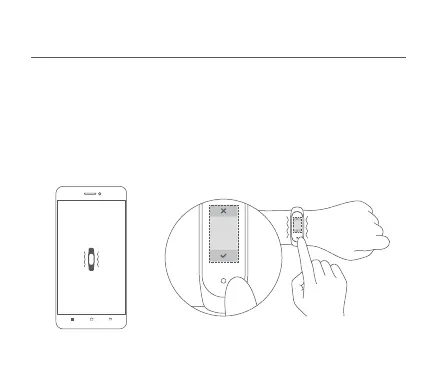
2. Open the Mi Fit app, log in to your account, and then follow the
instructions to connect and pair the band with your device. When your band
starts to vibrate and the Bluetooth pairing notification appears on the
screen, touch the buon to complete the pairing with your device.
Note: Make sure the Bluetooth is enabled on your phone. Hold close your
phone to the band during the pairing process.
Pair the phone
Band hasn't received pairing request
Confirm on the band



 To Next Page