Selecting the Input Power FlowSorb III
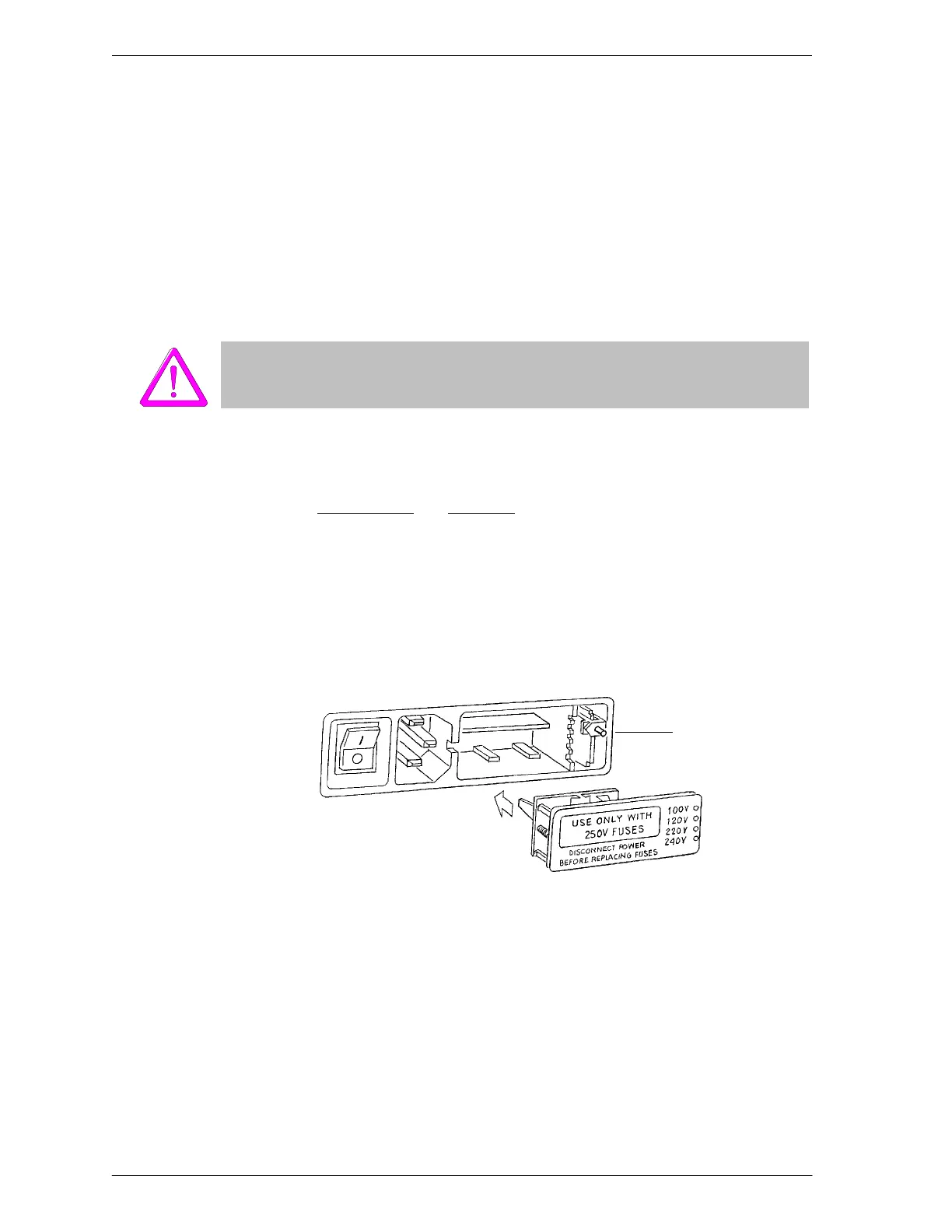
b. If the fuse block is positioned properly for the desired fusing, proceed to
Step c.
If the fuse block is not positioned properly:
1) Remove the fuse block retaining screw.
2) Lift the fuse block from the cover.
3) Rotate the fuse block.
4) Mount the fuse block to the cover.
5) Replace the retaining screw.
The fuses used in the FlowSorb must be identical in type and rating to that
specified. Use of other fuses could result in electrical shock and/or damage to
the analyzer.
c. Insert appropriate fuse(s) for the input power source. Refer to the chart
below for the appropriate fuse rating.
Power Source Fuse
100-120 VAC 2.0 Amp
220-240 VAC 3.15 Amp
7. Insert fuse block and cover assembly into input power connector and snap it
into place. Once the fuse block and cover assembly are in place, the position
of the indicator pin shows the input power selected.
Voltage Indicator
Pin
Indicator Pin
Visible Here



 To Next Page