5
4
1 2
3
4 5
Batteries
Your hearing aid uses a battery as its power source.
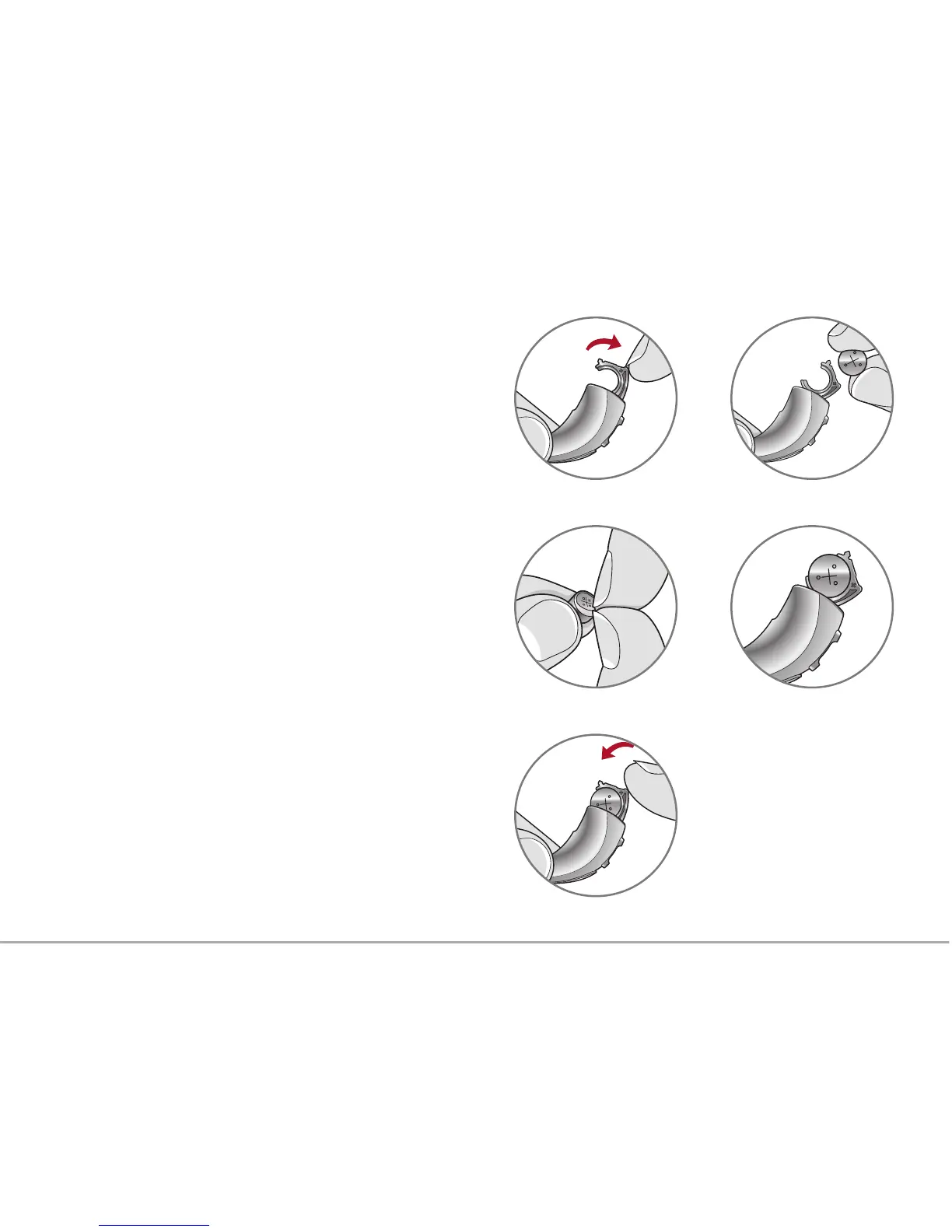
To insert or replace the battery:
1. Use the nail grip on the battery door.
2. Open the battery door gently and remove
the old battery.
3. Remove the colored tab from the new battery.
Wait 3-5 minutes after removing tab before
inserting battery.
4. Align the battery’s “+” sign (flat side of the
battery) with the “+” on the battery door.
5. Close the battery door.
• NEVER FORCE THE BATTERY DOOR SHUT.
This could result in serious damage. If the door
will not close securely, check that the battery is
inserted correctly.
• Do not open the battery door too far or
damage is likely to occur.
• Dispose of used batteries immediately in
the proper waste or recycling container.



 To Next Page