USER'S
MANUAL
USER'S
MANUAL
USB XpressSCSI
Installing the Driver Software
PC Compatible Installation (Windows 98 or above):
Follow the hardware installation instructions as described previously in this chapter. After
connecting to your USB port, you should see a notification on your computer advising "New
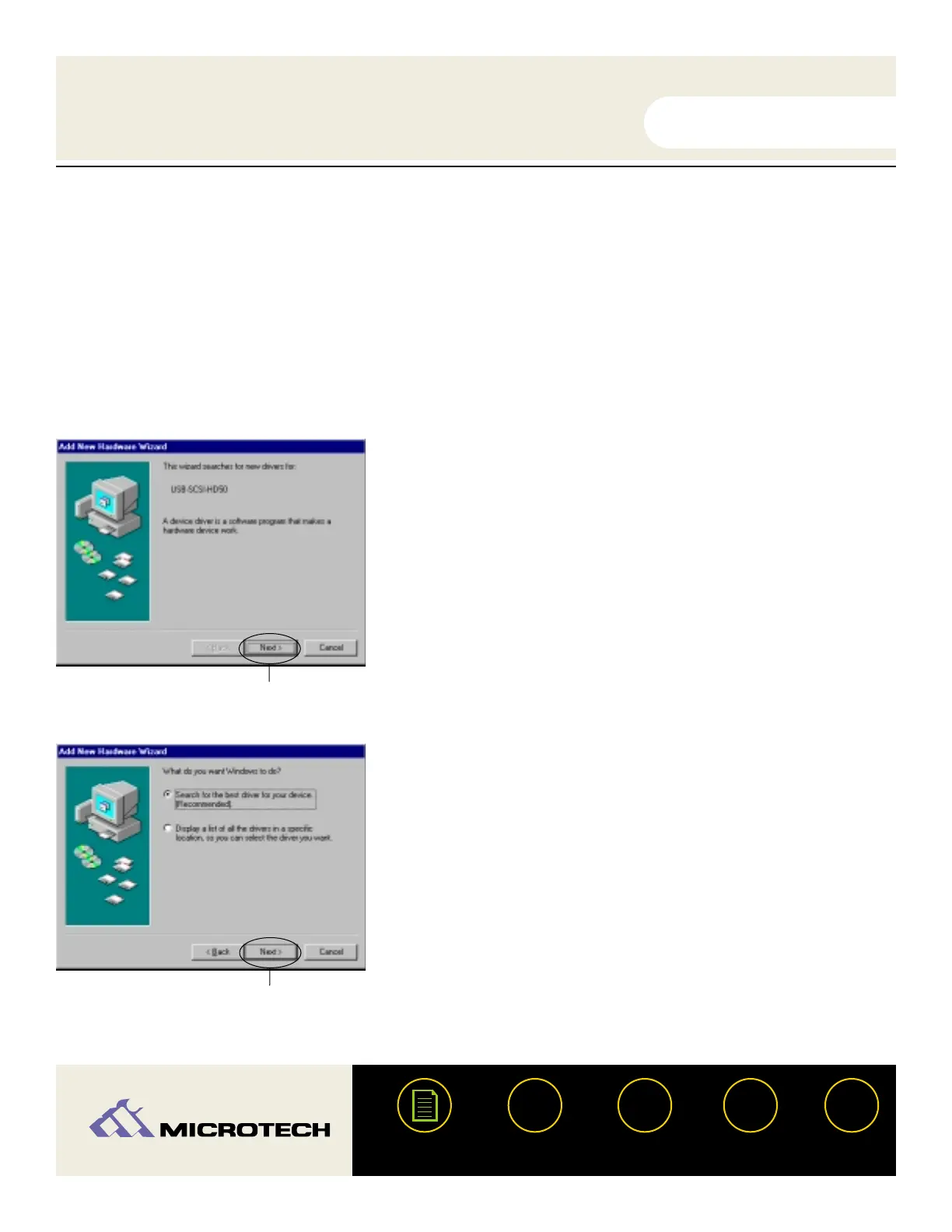
Hardware Found" and the "Add New Hardware Wizard" will activate. Follow the on-screen
instructions. Note: the screenshots below may vary slightly from those on your computer.
Click
"Next" as shown on left.
Select "Search for the best driver..." then click next.
?
HELP
CONTACT
NEXTBACK
CONTENTS
26
1.
2.
Click Next.
Click Next.


 To Next Page