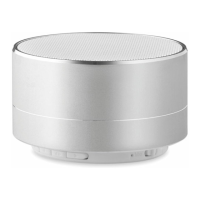
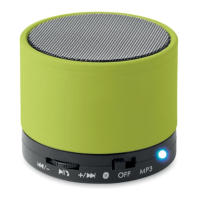
Slide the ② “ON/OFF” switch to the right to power on.
Press and hold the ④ "M" button to enter FM mode.
Press the ⑥ "Play/Pause/Phone" key to scan stations.
Press the ⑤ “Vol-/Previous track” key to manually scan forward.
Press the ⑦ “Vol+/Next track” key to manually scan backward.
Using TF Card:
1. Insert the TF card (with MP3 files) into the card slot of the
speaker.
2. Control volume and play back by pressing the key as described
above.
Mode Switch:
Press the ④ "M" key to switch through the different modes one by
one in this order: Wireless - Micro SD/TF - FM Radio- Wireless.
Connection to Wireless device:
1. Short press ⑥ “Play/Pause/Phone” key to pause music or
pause music to answer a call. A second short press will resume
playing music again.
2. Short press ⑤ “Previous track/Vol-“, the speaker will play the
previous track. Long press the button to reduce speaker volume.
3. Short press ⑦ "Next track/Vol up", the speaker will play the
next track.
4. Long press the button to increase speaker volume and you will
hear a prompt when maximum volume is reached.
Hands free phone call operation:
1. When a phone call is incoming, the blue light remains on. Short
press the ⑥ “Play/Pause/Phone" key to answer; long press the
"Play/Pause/Phone" key to reject the call.
2. When on an active call, short press the ⑥ "Play/Pause/Phone"
to hang up.
3. Press ⑥ "Play/Pause/Phone" for double press, can switch the
sounds between the mobile phone and speaker.
Hands free phone call operation:
1. When a phone call is incoming, the blue light remains on. Short


 To Next Page
 Loading...