2.2 Temperature Control
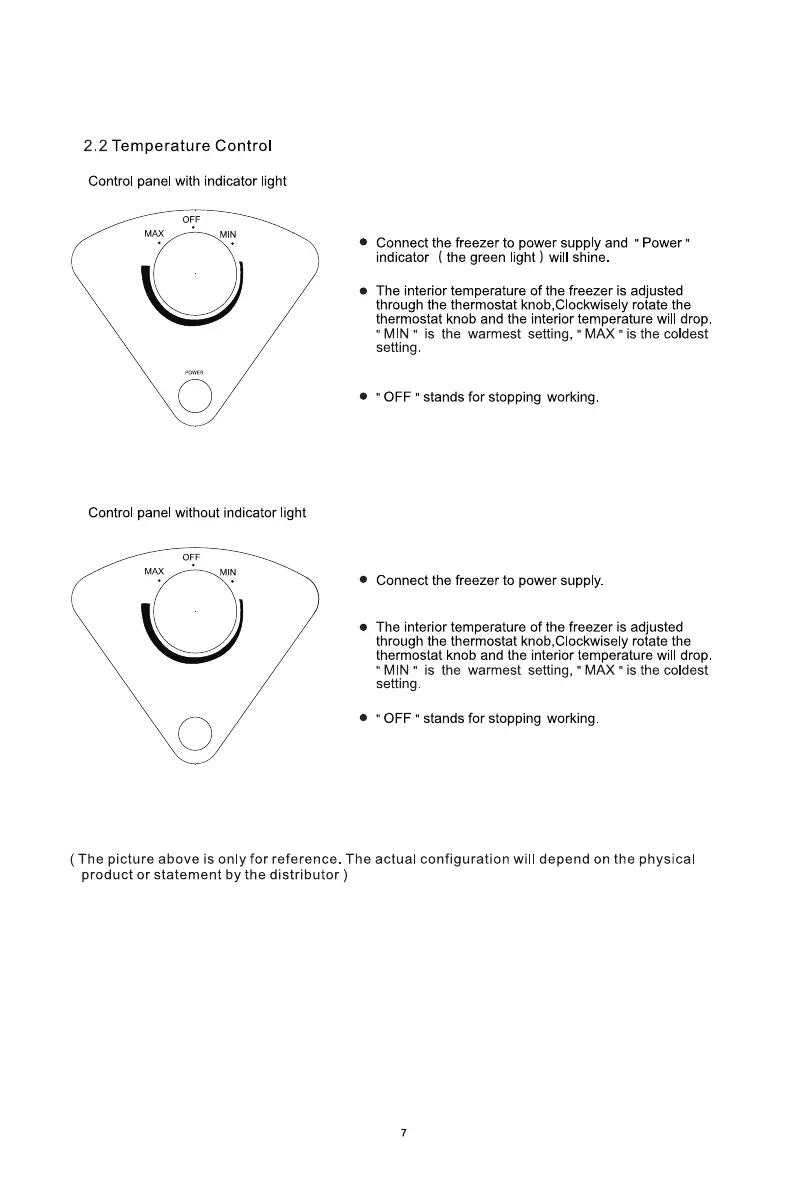
Control panel with indicator light
MAX
• Connect the freezer to power supply and " Power "
indicator ( the green light ) will shine.
• The interior temperature of the freezer is adjusted
through the thermostat knob,CIockwisely rotate the
thermostat knob and the interior temperature will drop.
MIN " is the warmest setting, " MAX " is the coldest
setting
• " OFF " stands for stopping working
Control panel without indicator light
OFF
• Connect the freezer to power supply.
• The interior temperature of the freezer is adjusted
through the thermostat knob,CIockwisely rotate the
thermostat knob and the interior temperature will drop
" MIN " is the warmest setting, " MAX " is the coldest
setting
• " OFF " stands for stopping working
( The picture above is only for reference. The actual configuration wi
product or statement by the distributor )
7
depend on the physical



 To Next Page