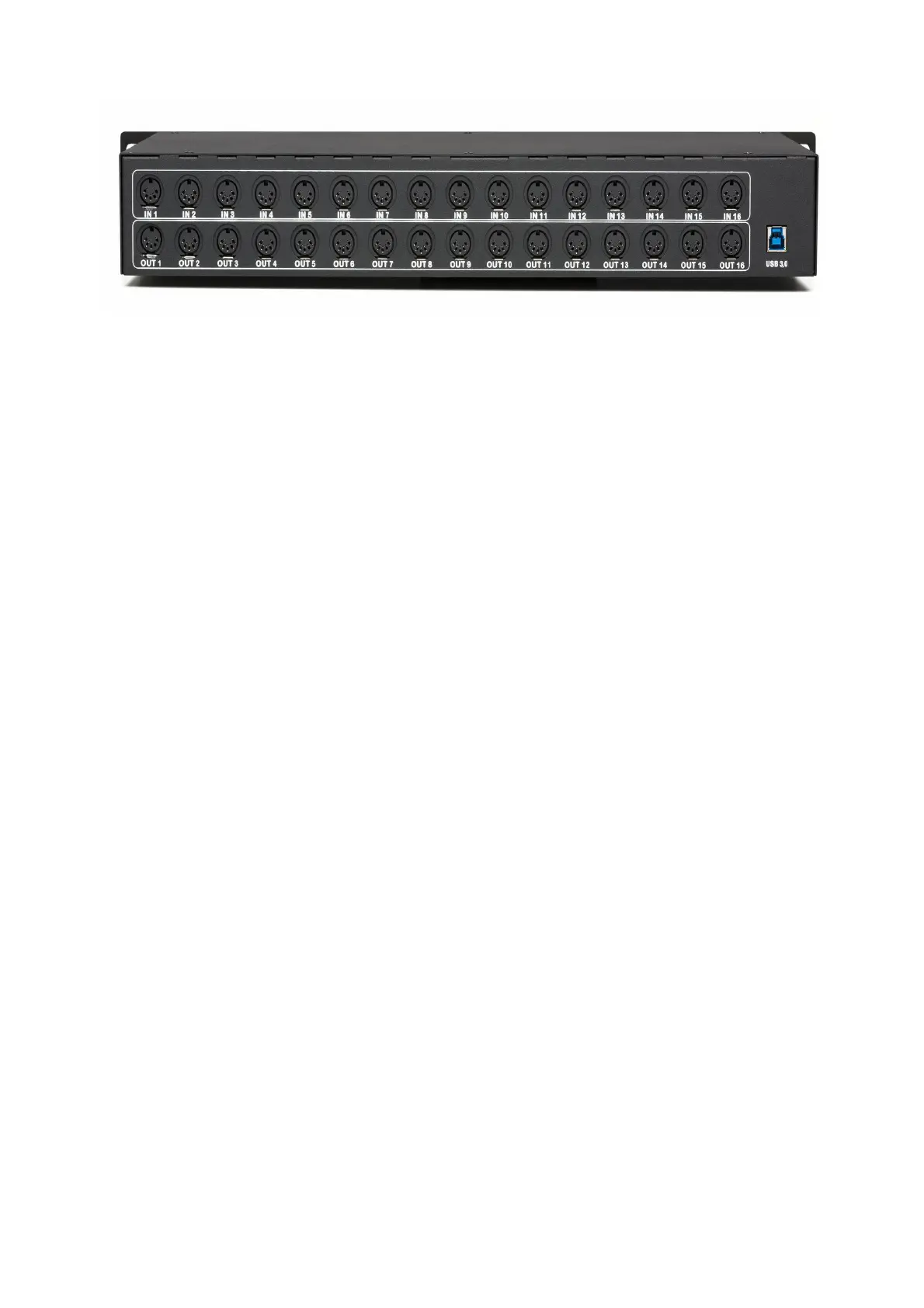
On the back side you see the 16 DIN MIDI Input ports and the 16 DIN MIDI Output ports. At this ports you can
connect your MIDI hardware with standard MIDI cables. Please note that always MIDI In ports must be connected to
MIDI Out ports.
On the back side you find also the USB port. Please connect this USB port with the USB cable to a free USB port on
your computer. Please do NOT use an USB Hub.
Because the Midiface 16x16 is "class compliant", you do not need to install a driver. If the Midiface 16x16 is not
recognised correct, please update your mainboards or notebooks USB chipset drivers. Also please update for Intel
system the Intel.inf drivers, for AMD systems the AMD chipset drivers.
The Midiface 16x16 is full USB powered, you do not need additional power or batteries. The Midiface 16x16 do not
work standalone, it must be always connected to a Computer and a DAW software.
Have much fun with this poduct!
10


 To Next Page