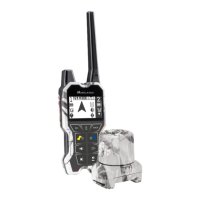
BEEPER ONE GPS - KEY DESCRIPTION
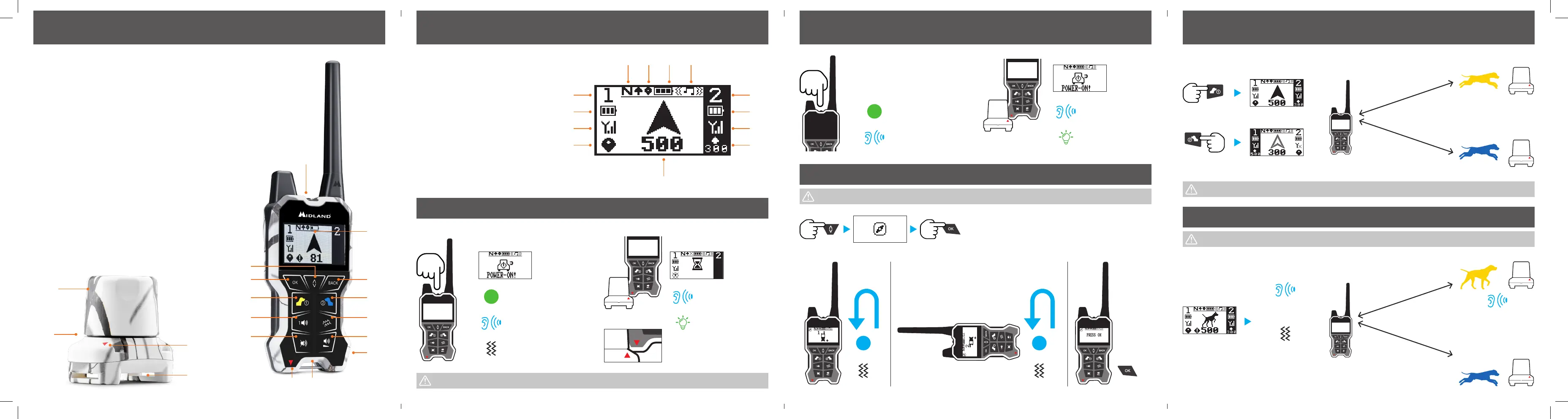
REMOTE CONTROL
1. Power ON/OFF
2. Display
3. Menu
4. OK
5. Dog 1
6. 1 Beeper beep
7. Beeper beep OFF
8. Beeper power ON (magnet)
9. Hole for lanyard
10. USB port for recharge/FW
upgrade
11. Beeper volume (3 levels)
12. Beeper vibration
13. Dog 2
14. Exit
BEEPER
15. Speaker cap
16. LED
17. Collar loops
18. Power ON magnetic sensor
DISPLAY
A. DOG 1 indications
B. DOG 1 battery indications
C. DOG 1 radio signal
D. DOG 1 GPS
E. Distance and direction of the selected dog
F. DOG 2 distance and direction
G. DOG 2 radio signal
H. DOG 2 battery indications
I. DOG 2 indications
J. Remote control vibration and/or sounds
K. Remote control battery
L. Remote control GPS
M. Remote control NORTH
BEEPER ONE GPS - DISPLAY DESCRIPTION
M.
A.
B.
C.
D.
E.
I.
H.
G.
F.
L. K. J.
POWER ON
To switch on the Beeper and the Remote Control you must not be in motion. Wait also for a proper GPS signal.
3”
Press 3”
1 Beep
1 Vibration
1 Beep
Steady led
POWER OFF
3”
Press 3”
3 Beep
3 Beep
Steady led
CALIBRATION
x3
3 Vibrations
Ok
STEP 1 STEP 2
x3
STEP 3
1 Vibration
DOG IN MOTION
POINTING DOG
DOG 1
DOG 2
Out of range
Jingle - pointing
DOG 1
Vibration every
3 seconds
DOG 1
DOG 2
Jingle - pointing
DOG 1
REMOTE CONTROL BEEPER
We suggest calibrating the remote control at every use.
A distance inferior to 15m could be not so precise.
The first pointing dog will be automatically selected on the display.
REMOTE CONTROL BEEPER
8. 9.
1.
2.
3.
14.
6.
4.
5.
7.
12.
13.
11.
10.
15.
16.
17.
18.
Frequency: 433.775 – 434.200MHz
Power: ≥ 10mW


 To Next Page
 Loading...