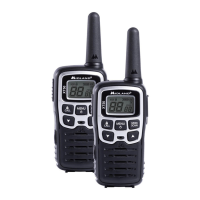
XT60 user’s manual | 5
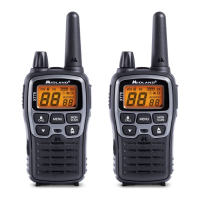
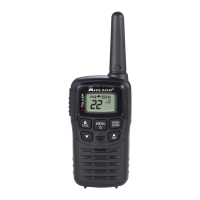
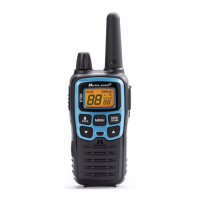
LCD Display
1. Selected channel (P1-P8/9P-24P: PMR446 /1-69:LPD)
2. VOX - Function activated
3. - Keypad lock activated
4. - Battery status indicator
5. H/L - Indicates the high / low power selection in transmission
(only in PMR band)
6. RX - Radio in rx mode (busy channel)
7. TX - Radio in transmission (PTT pressed)
8. DCS/CTCSS - Type of sub-audio tone selected
9. Code of the selected CTCSS or DCS tone
(CTCSS: 1-38; DCS: 1-83)
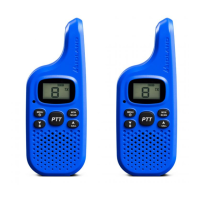
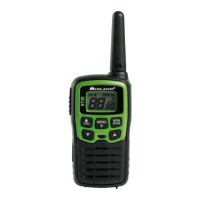
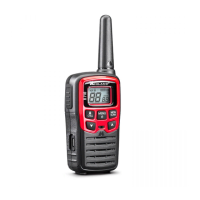
Transceiver
10. Antenna
11. OFF/VOLUME knob - To switch on/o the radio and to adjust the vol-
ume.
12. PTT - Press to transmit.
13. CALL/ – to send a call to the selected channel. If you keep it pressed for
about 3 seconds, the keypad lock is activated.
14. MIC - Built-in microphone
15. Built-in Speaker.
16. ▲▼ controls - To change the settings in the MENU.
17. MENU - Press this control to enter the radios MENU
18. MON/SCAN - Press this button once to activate SCAN. Keep it pres-
sed for about 2 seconds to activate the Monitor function, that tempora-
rily cuts o the squelch (for weak signals)
19. SPK | MIC (under the protective cover) - To connect to external audio
devices such as microphones, headphones, etc
20. USB port for the recharge of the radio
21. Battery compartment: insert the rechargeable battery pack supplied in
the package or 3 x AAA batteries (alkaline or rechargeable).


 To Next Page