EasyManua.ls Logo

Midway TERMINATOR 2 JUDGMENT DAY - Page 3

Midway TERMINATOR 2 JUDGMENT DAY
77 pages
Print Icon
To Next Page IconTo Next Page
To Previous Page IconTo Previous Page
Loading...
~
r
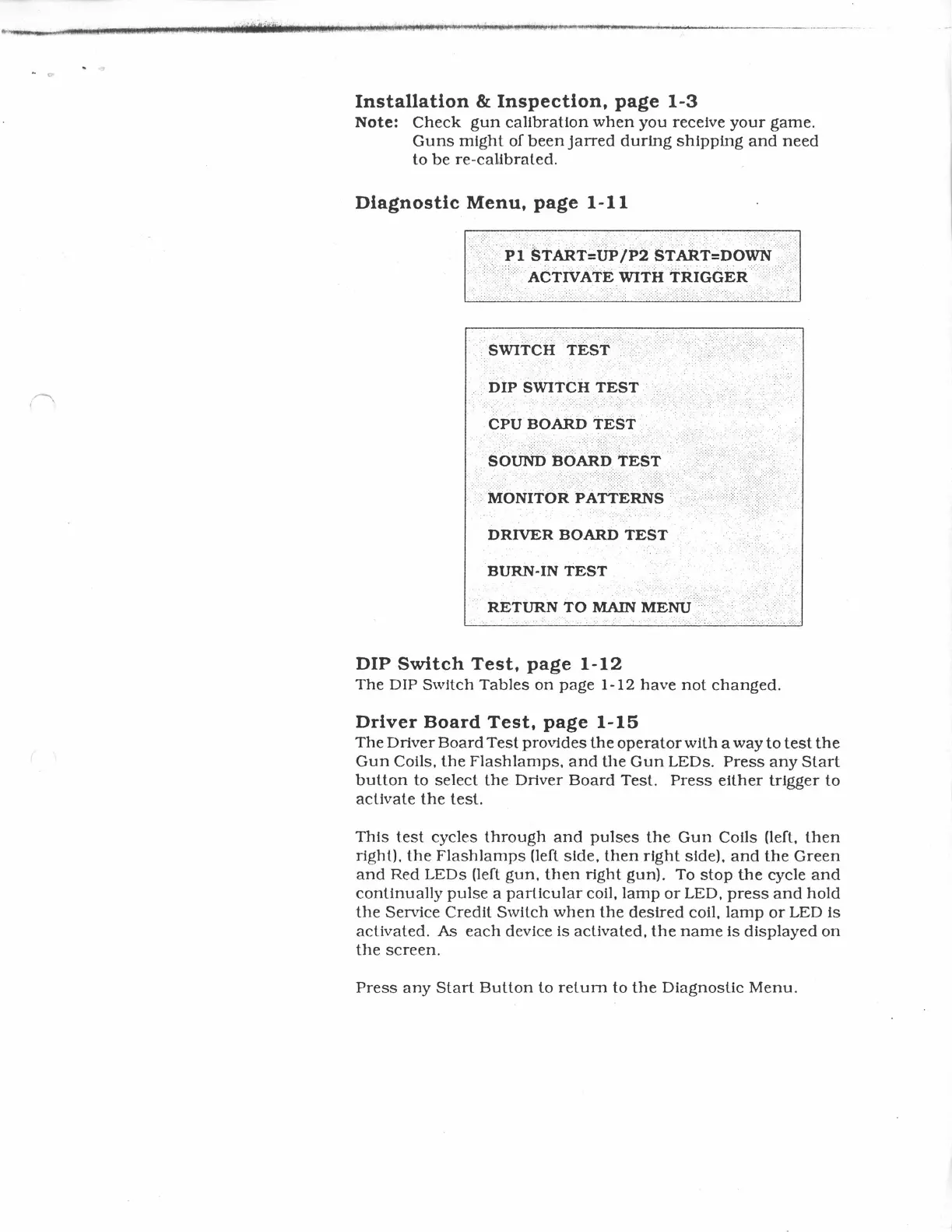
Installation
&
Inspection,
page
1-3
Note:
Check
gun
calibration
when
you
receive
your
game.
Guns
might
of
been
jarred
during
shipping
and
need
to
be
re-calibrated.
Diagnostic
Menu,
page
1-11
..
-·.
·
::::::
.···.
·
...
··:: _ _
:-
:--·
-
.:·
.·.
·.-.:····.··. ·· .. ·
·.::_:·_
::
:'
: ·: : ..
-.
··.
:·-·:.::.:
-
:':.
<:
..
/,:,
i>l.
stAiiTJrtP/1>2
siA:kt:::noWri
·
·.
·.
· .
..
...
· . · . .
..
. . .
··.
···-
.
·.
· .
..
. .
..
.
..
. . . '
.'
.·.·
. ·
..
::
'·::/
ACTIVNtE
WITH
TRIGGER
·
.·
.·
. ... .. . . .
. . DIP SWITCH
TEST
. : - : . -
..
<.
. . . . . . ' . . . . .
....
;
..
..
-:
:-
:
...
-:
.. : . . .
..
..
:
>.
. . . . .
.. . . . . .
..
.
ci>uao.ARb
TEST
.
. :
:·
-.. :
::_<:.
:
>.
·
.(·:~><.:··>
:'.
:
·_·:·
.
.:;-
< :;·
-/~~>>>>
>:>.<-·
:<:
:·:
·. :
:<
:>
:
-:--:
< :-: •
·:·
. .
::_<::-__:
..
·':
. •
,·
s
·':
· .:0
.....
UND
<: '
..
:::·:,::,
,:
·.B
.::::
O
.:.;::::
AR
··::>.
..
:::
D
::>
:·::
T
:<
E· .. ·s·:
::.
T
:.
: ..
:..
•
.<.>
: :
/.
'.
\ . :
..
··
..
· .-.:<:::::.-:':'·':': ·
.·
:
.:.·
. .
,•
.·
.·.
·.
-.·.·-·
..
·
·.·
.·-· ..
·-··
.. · .
.
.
···.·.·
.·.·.·.
·
.·.·.·
.. - ..
..
···
. . >·:..::.::
>.:.
:.
::
·:
·.-:.;-:·_:·:_.':-:
-:
...
:
-:
~
.....
..
:-
:- :-
. .
..
-;
. .
...
: . . . . . . . . . . . . . : . ' .. .; . . .
..
:-
. . . . .
..
-:
.
...
. : . . . -
..
.
·.
M:C>Nfr6:R
:PAri:ER.Ns
::.·
..
.
DRIVER
BOARD
TEST
.
.
BURN-IN
TEST
DIP
Switch
Test,
page
1-12
The
DIP
Switch
Tables
on
page
1-12
have
not
changed.
Driver
Board
Test,
page
1-15
The
Driver
Board
Test
provides
the
operator
with
a
way
to
test
the
Gun
Coils,
the
Flashlamps,
and
the
Gun
LEDs.
Press
any
Start
button
to
select
the
Driver
Board
Test.
Press
either
trigger
to
activate
the
test.
This
test
cycles
through
and
pulses
the
Gun
Coils (left,
then
right).
the
Flash
lamps
(left
side,
then
right
side).
and
the
Green
and
Red
LEDs
(left
gun,
then
right
gun).
To
stop
the
cycle
and
continually
pulse
a
particular
coil,
lamp
or
LED,
press
and
hold
the
Service
Credit
Switch
when
the
desired
coil,
lamp
or
LED
is
activated.
As
each
device
is
activated,
the
name
is
displayed
on
the
screen.
Press
any
Start
Button
to
return
to
the
Diagnostic
Menu.