EasyManua.ls Logo

Mifa K3 - Page 9

Mifa K3
10 pages
Print Icon
To Next Page IconTo Next Page
To Previous Page IconTo Previous Page
Loading...
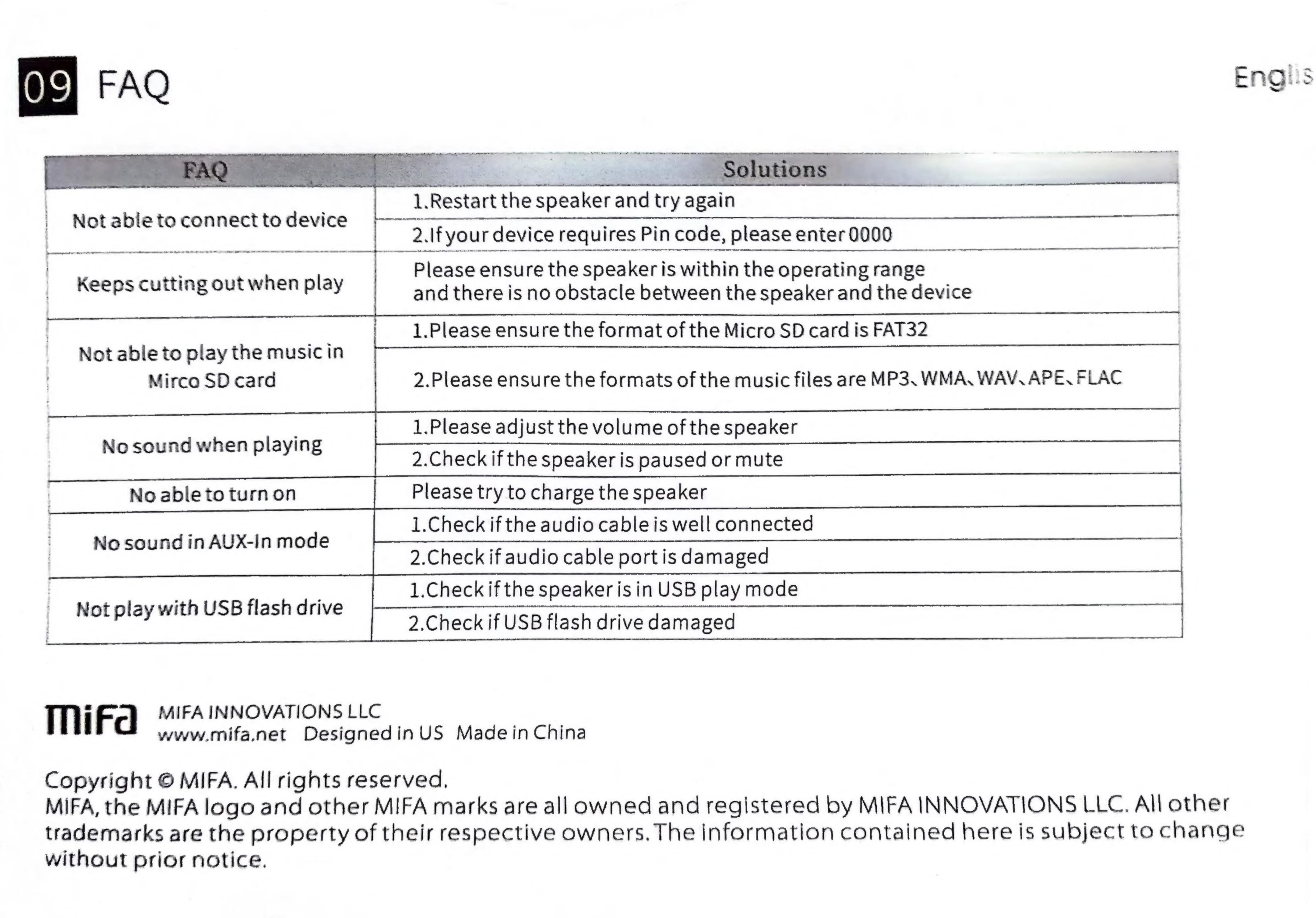
Not
able
to
connect
to
device
7
2.If
your
device
requires
Pin
code,
please
enter
0000
Please
ensure
the
speaker
is
within
the
operating
range
Keeps
cutting
out
when
play
and
there
is
no
obstacle
between
the
speaker
and
the
device
——-
1.Please
ensure
the
format
of
the
Micro
SD
card
is
FAT32
Not
able
to
play
the
musicin
Mirco
SD
card
2.Please
ensure
the
formats
of
the
music
files
are
MP3,
WMA,
WAV.
APE.
FLAC
;
1.Please
adjust
the
volume
of
the
speaker
No
sound
when
playing
——<
2.Check
if
the
speaker
is
paused
or
mute
No
able
to
turn
on
Please
try
to
charge
the
speaker
;
1.Check
if
the
audio
cable
is
well
connected
No
sound
in
AUX-in
mode
2.Check
if
audio
cable
port
is
damaged
1.Check
if
the
speaker
is
in
USB
play
mode
Not
play
with
USB
flash
drive
NF
MIFA
INNOVATIONS
LLC
www.mifaznet
Designedin
US
Madein
China
Copyright
©
MIFA.
All
rights
reserved,
MIFA,
the
MIFA
logo
and
other
MIFA
marks
are
all
owned
and
registered
by
MIFA
INNOVATIONS
LLC.
All
other
trademarks
are
the
property
of
their
respective
owners.
The
information
contained
here
is
subject
to
change
without
prior
notice.