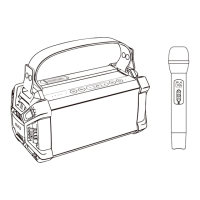
MICROPHONE
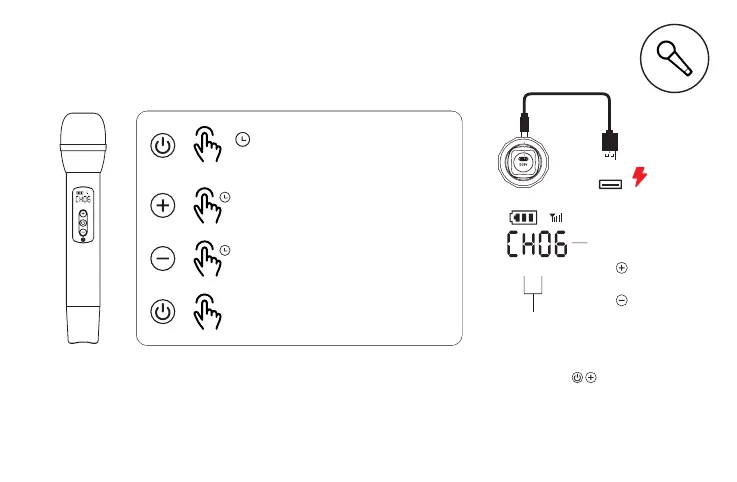
话筒功能
USB
>1.5"
X1
Pressandholdfor1.5seconds
topoweron/off
⻓按1.5秒开或关
Pressandholdtoturnup
thevolume
⻓按话筒⾳量增⼤
Pressandholdtoturn
downthevolume
⻓按话筒⾳量减⼩
Shortpresstoswitchthe
Echomode
短按混响模式切换
*⾳箱开机默认开启 连接功能,话筒开机后会⾃动与⾳箱连接,如需连接第⼆⽀话筒时,UHF
通道 ⽀话筒使⽤的是CHA通道,第⼆⽀话筒请切换到请查看第⼀⽀话筒使⽤的 ,如第⼀
CHB通道。
*TheUHFconnectionisenabledbydefaultwhenthespeakeristurnedon.Ifyouwant
toconnectthesecondmicrophone,pleasecheckthechannelofthefirstone,ifthe
channelofthefirstoneisCHA,thenswitchthechannelofthesecondmicrophoneto
CHB.
A/B⻨频段切换:话筒关机状态下,同时按住电
源键和+键,3秒后显⽰CHB或CHA并开机。
A/Bfrequencybandswitch:
Pressandholdthe""buttonatthesame
time underthepower-offstatus,itwilldiplay
CHBorCHAandpoweronin3seconds.
CH A CH B
A/B通道
A/BChannel
频段显⽰CH01-CH10
FrequencybandDisplay:
CH01-CH10
CHA CHB
短按频段加⼀级
Shortpress+toplus
短按频段减⼀级
Shortpress‒tominus


 To Next Page
 Loading...