A viewer can`t change any settings
Note:
1) For versions above 54, the Operator and Viewer users are closed by default. But you still
can add on the User page.
2) You can only add 20 users.
3) For V4x.7.0.69 or above, it removes the default admin password and allows to set a
password when logging in for the first time. It also supports set-up of the security questions for the
devices. Users can reset the password by answering the correct security questions in case of
forgetting the password, which is more convenient for users.
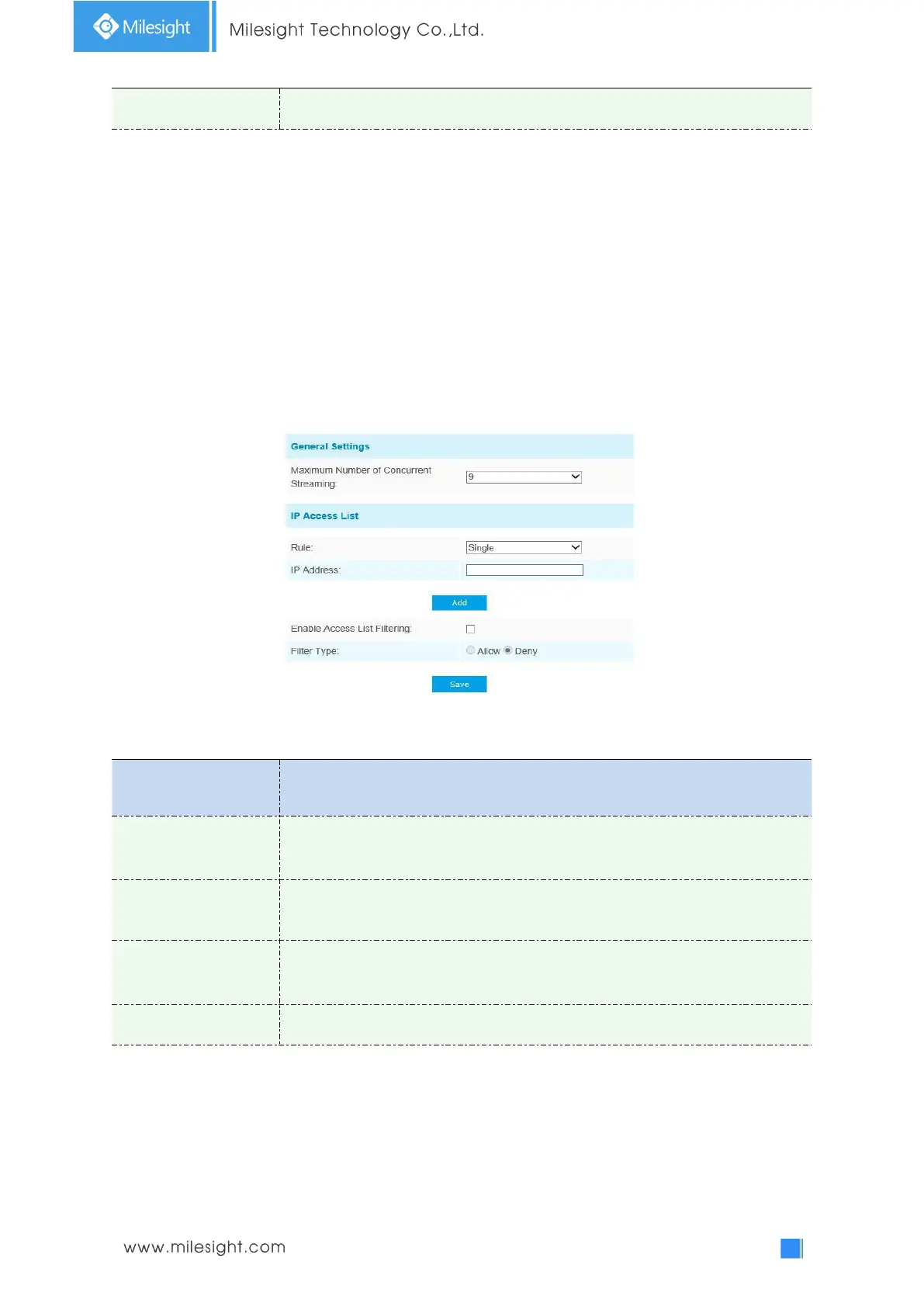
Access List
Table 4-5-9 Description of the buttons
Maximum number of concurrent streaming: Select the maximum number of
concurrent streaming. Options include Number Limit, 1~9.
Rule: Single, Network and Range are available;
IP address: Input the address to get the access to the device.
Enable access list
filtering
Able to access or restrict access for some IP address.
Access or restrict access



 To Next Page