8
THE GAMES
Now that you’ve familiarized yourself with controlling the ball and
the different obstacles, it’s time to try out the 6 different games!
The Game Menu
After putting on the headset(s) and turning on the console (as
described in the Quick Start section), the console will direct you
to “Select game.” The light above the TOGGLE and ENTER buttons
will begin to flash, indicating that you are in the Game Menu and
need to make some choices.
Making Selections
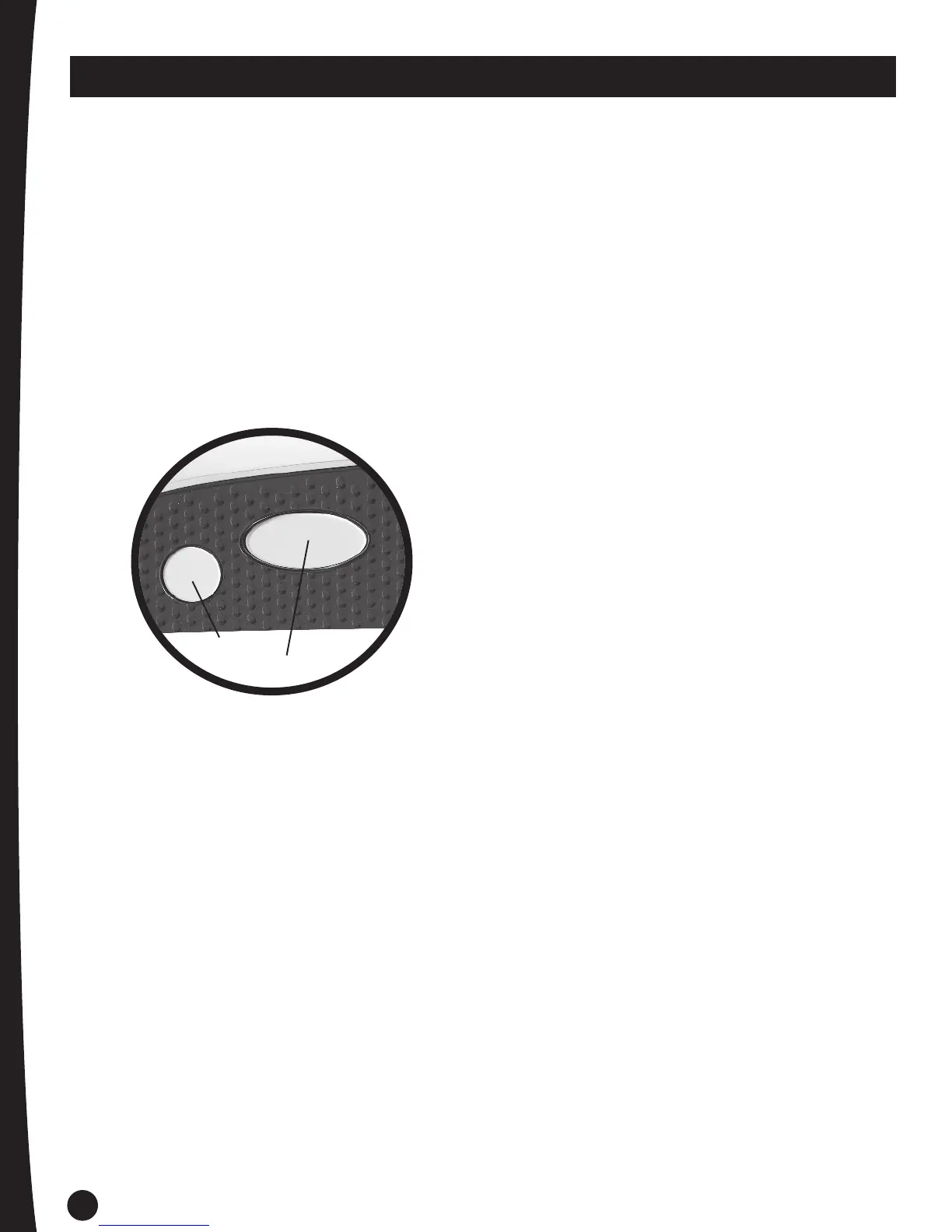
Press the TOGGLE button to cycle through a list of games then
press the ENTER button to confirm your choice.
Enter Button
Toggle Button
Adjusting the Volume
Press and hold down the ENTER button then use the TOGGLE
button to cycle up and down through 5 volume settings. When you
reach the desired volume, release both buttons.
Canceling Selections
If you wish to cancel a choice or end a game, press and hold the
ENTER button for 3 seconds until you return to the Game Menu
and you hear “Select Game.”
Playing Again
At the end of some games, the console will ask, “Play again?”
Use the TOGGLE button to select either “Yes” or “No” then
press ENTER.
Sleep Mode
After about 4 minutes of inactivity, your game will end and
the console will enter Sleep Mode to conserve power (current
game information will not be saved). Press the ENTER button to
reactivate the console and return to the Game Menu.
Note: Depending on the game you choose, you may also be
prompted to select GAME MODE and DIFFICULTY LEVEL.


 To Next Page
 Loading...