QUICK USER GUIDE - MindMe Watch
Starter Guide
P: 1300 776 907
E: info@mindme.com.au
W: www.mindme.com.au
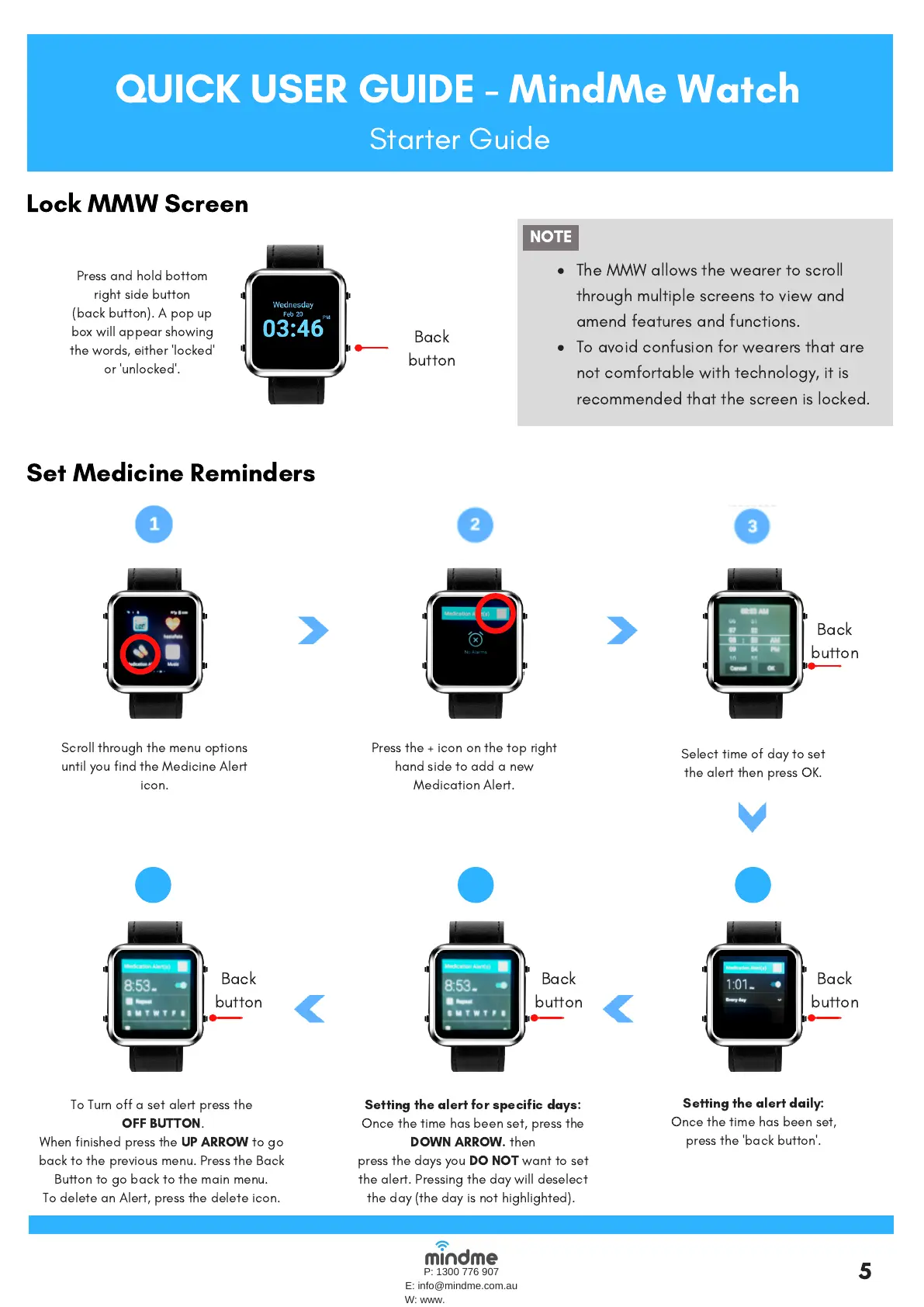
Lock MMW Screen
The MMW allows the wearer to scroll
through multiple screens to view and
amend features and functions.
To avoid confusion for wearers that are
not comfortable with technology, it is
recommended that the screen is locked.
NOTE
5
Set Medicine Reminders
456
Scroll through the menu options
until youfindthe Medicine Alert
icon.
Press the '+' icon on the top right
hand side to add a new
Medication Alert.
Select time of day to set
thealert then press OK.
Setting the alert daily:
Once the time has been set,
press the 'back button'.
Setting the alert for specific days:
Once the time has been set, press the
DOWN ARROW.
then
press the days you
DO NOT
want to set
the alert. Pressing the day will deselect
the day (the dayis nothighlighted).
To Turn off a setalert press the
OFF BUTTON
.
When finished press the
UP ARROW
to go
back to the previous menu. Press the Back
Button to go back to the main menu.
To delete an Alert, press the delete icon.
Back
button
Press and hold bottom
right side button
(backbutton). A pop up
box will appear showing
the words, either 'locked'
or 'unlocked'.
Press the + icon on the top right
hand side to add a new
Medication Alert.
Back
button
Back
button
Back
button
Back
button


 To Previous Page
 Loading...