User Manual V1.0 Copyright © Mindset Innovation, Inc. 10
Before using the product for the first time, ensure that it is fully charged.
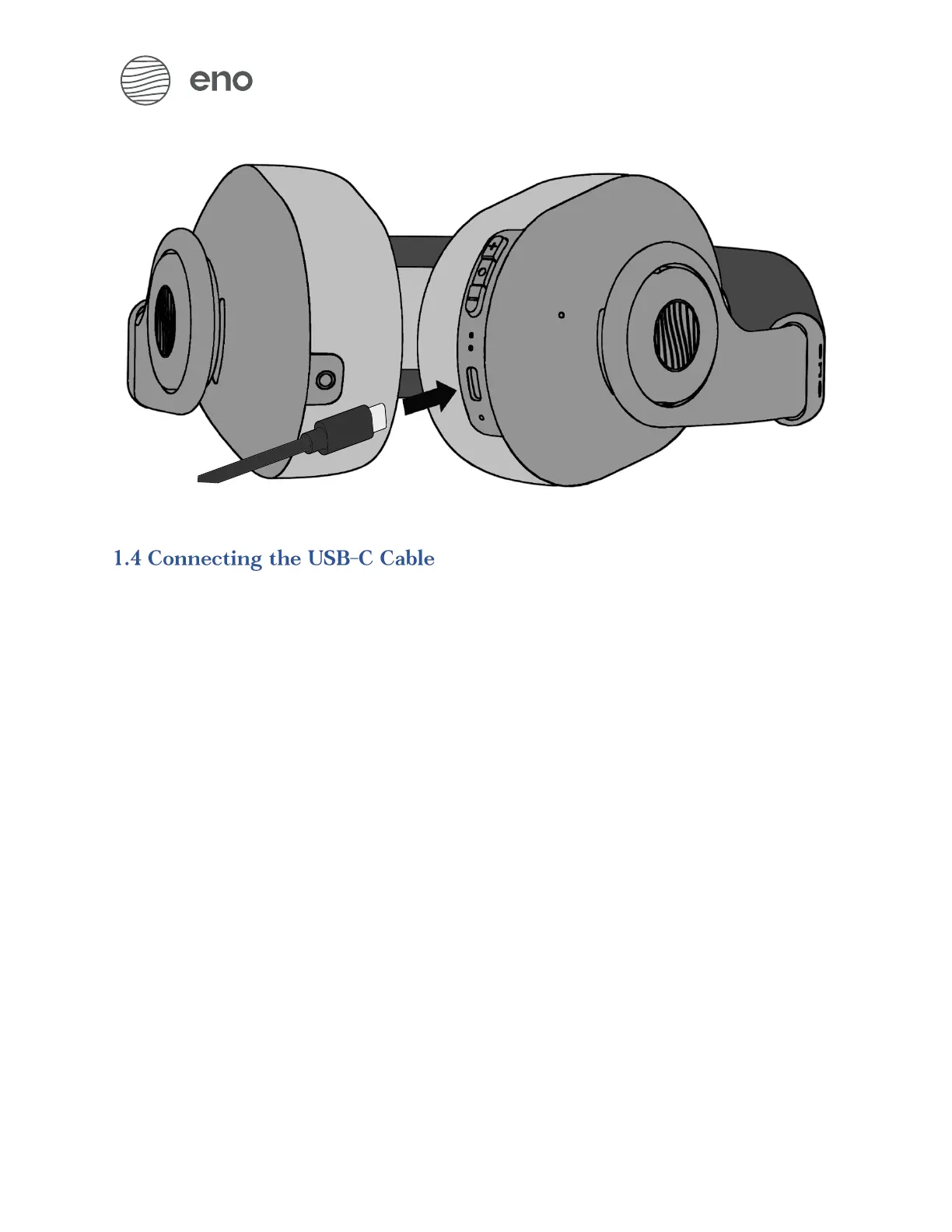
1. Use the cable provided in the accessory box and connect one end to the
USB-C port of the enophone
2. Connect the other end directly to a computer or some compatible 5V adapter
When connected, the enophone will begin charging. While it charges, the Battery
Light Indicator will be yellow. After being fully charged, the indicator will turn green.


 To Next Page