97
7−3. How to use the filter
The instrument prepares the digital filter that stabilizes data converted into digital through
calculation process.
Warning ● When setting filter is not suitable, correct measurement can not be
made and it may cause an unexpected accident, so care should be
taken fully.
7−3−1. Analog filter
The instrument can change the pass band for the analog filter into 4 steps,such as 2 Hz, 4 Hz
6 Hz 8 Hz and 10 Hz. (Related function F−05)
As for default, “4 Hz” is selected.
The tendency of characteristics by the frequency are listed as below:
Averaged out times
2Hz 4Hz 10 Hz 100 Hz 2 kHz
Resist to noise stable rapid
Response speed slow quick
7−3−2. Digital filter
The digital filter for the instrument can be set from “00000” to “00006”.
The strength of the digital filter is decided depending on the set value. (Related function F−04)
As for default, “00001” is selected.
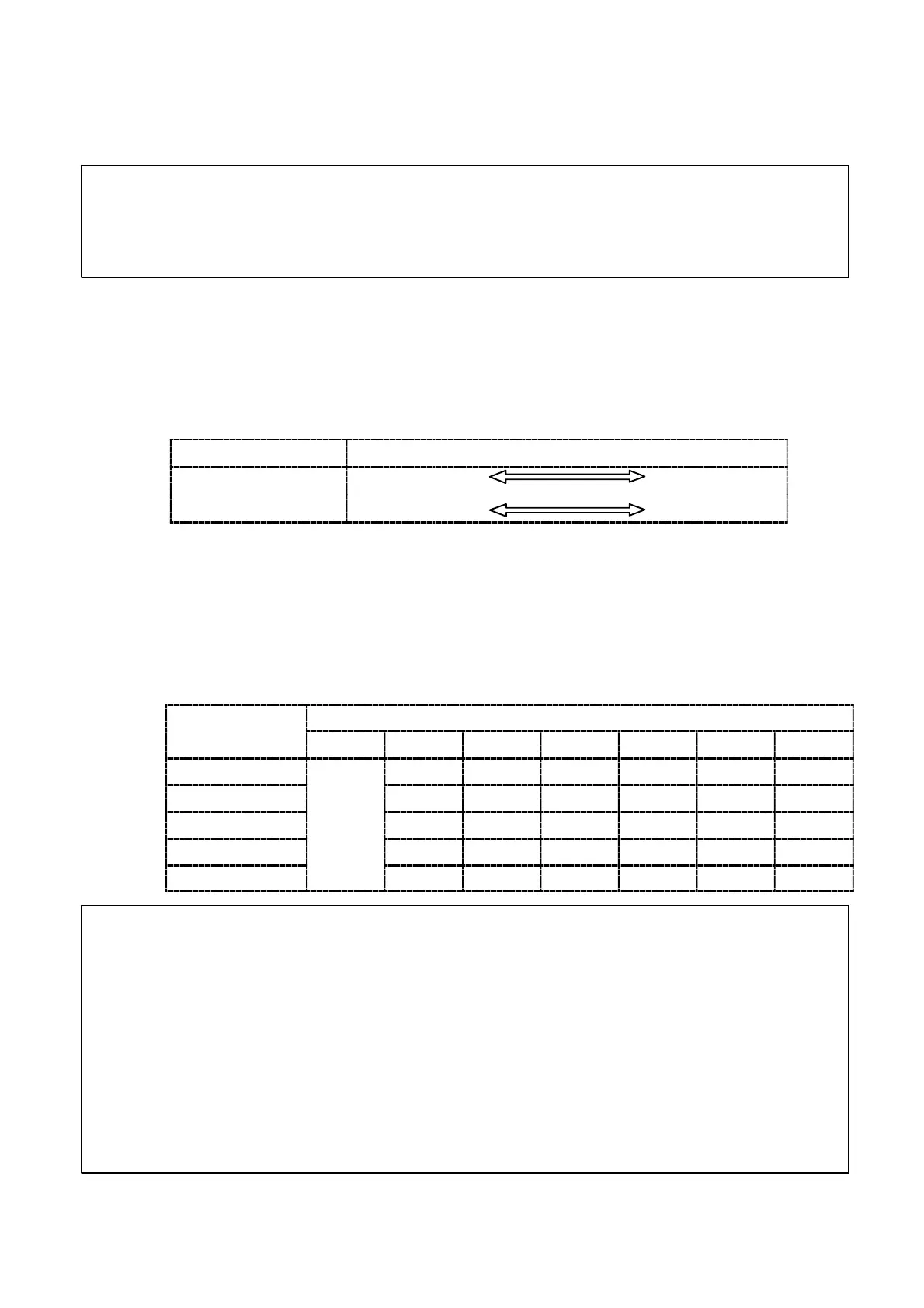
The relation between setting of the digital filter and the cut−off frequency is shown in the table
below.
A/D sam
lin
Setting of digital filter (F−04)
rate(F−02)
00000 00001 00002 00003 00004 00005 00006
200 times/s 2.200 Hz 1.100 Hz 0.740 Hz 0.550 Hz 0.440 Hz 0.350 Hz
100 times/s
1.100 Hz 0.550 Hz 0.370 Hz 0.275 Hz 0.220 Hz 0.175 Hz
50 times/s
filter
0.550 Hz 0.275 Hz 0.175 Hz 0.138 Hz 0.110 Hz 0.088 Hz
20 times/s
OFF
0.220 Hz 0.110 Hz 0.070 Hz 0.055 Hz 0.044 Hz 0.035 Hz
10 times/s 0.110 Hz 0.055 Hz 0.037 Hz 0.028 Hz 0.022 Hz 0.018 Hz
● The cut−off frequency can be selected by combining each digital filter
setting and the A/D sampling setting. The cut−off frequency
corresponds to the decrement of almost −3 dB.
● The cut−off frequency shown in the above−mentioned table is a
status to set ”Stabilization filter” in turning off. Filters might
strengthen more than cut−off frequency in the above−mentioned
table according to the condition when “Stabilization filter” is used
according to clause 7−6.


 To Next Page
 Loading...