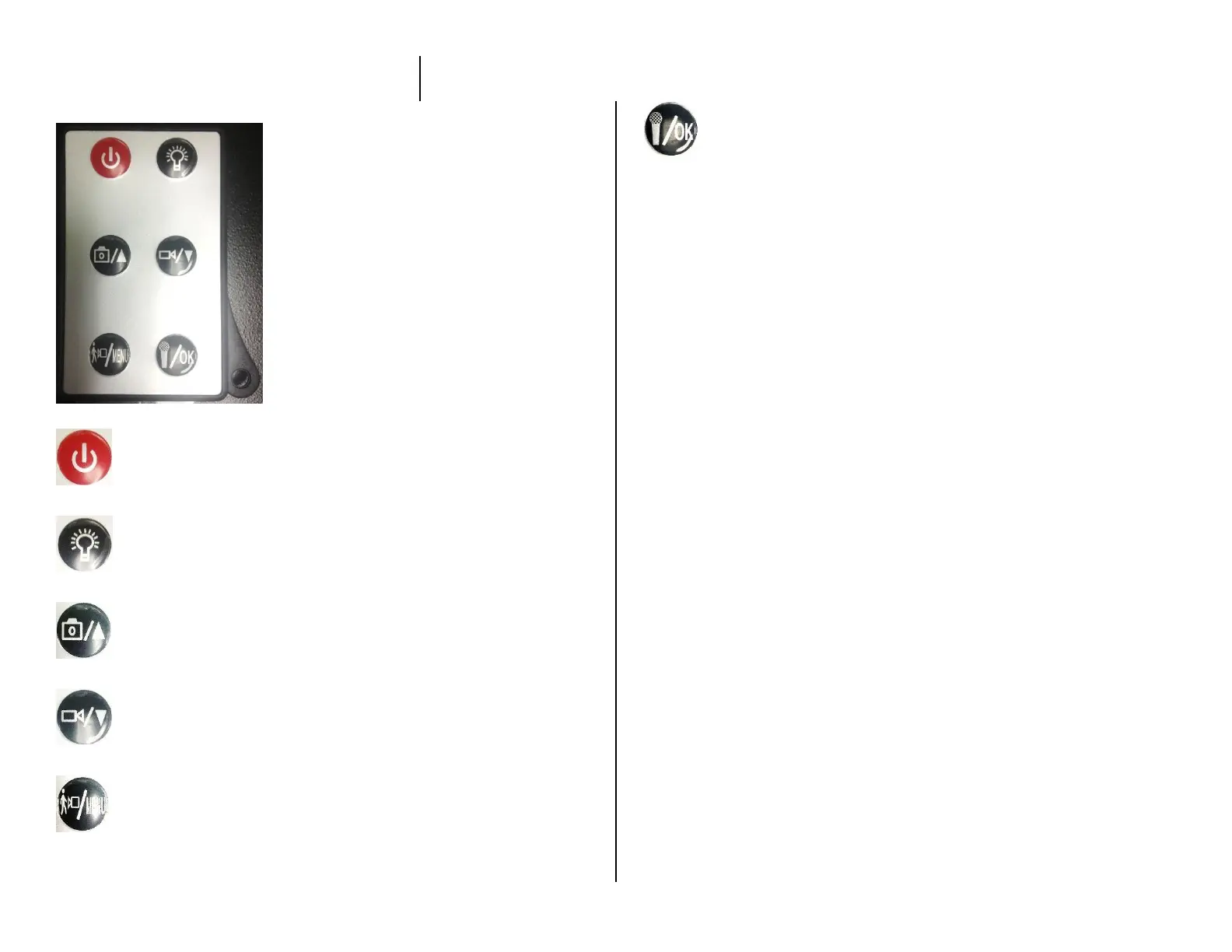
USING THE REMOTE
Power Button
Night Vision Lamp
Photo Button / Select Up
Video Button / Select Down
Motion Detection / Menu
OK Button
HOW TO TURN ON THE CAMERA
1. Push the Power Button on the remote
The blue indicator light will come on
HOW TO RECORD VIDEO
1. Push the Video Button on the remote
The blue indicator light will flash 3 times slowly
The device is now recording
HOW TO TAKE PHOTOS
1. Push the Camera Button
The blue indicator light will blink once slowly
HOW TO USE MOTION DETECTION
1. Press the Motion Detection Button
The blue indicator light will flash quickly


 To Next Page